/HubSpot%20-%20eBook%20-%20Proof%20Card%20Mockup%20001.jpg?length=1000&name=HubSpot%20-%20eBook%20-%20Proof%20Card%20Mockup%20001.jpg)
/HubSpot%20-%20eBook%20-%20Proof%20Card%20Mockup%20001.jpg?length=1000&name=HubSpot%20-%20eBook%20-%20Proof%20Card%20Mockup%20001.jpg)
/HubSpot%20-%20eBook%20-%20Proof%20Card%20Mockup%20001.jpg?length=1000&name=HubSpot%20-%20eBook%20-%20Proof%20Card%20Mockup%20001.jpg)
/HubSpot%20-%20eBook%20-%20Proof%20Card%20Mockup%20001.jpg?length=1000&name=HubSpot%20-%20eBook%20-%20Proof%20Card%20Mockup%20001.jpg)
/HubSpot%20-%20eBook%20-%20Proof%20Card%20Mockup%20001.jpg?length=1000&name=HubSpot%20-%20eBook%20-%20Proof%20Card%20Mockup%20001.jpg)
/HubSpot%20-%20eBook%20-%20Proof%20Card%20Mockup%20001.jpg?length=1000&name=HubSpot%20-%20eBook%20-%20Proof%20Card%20Mockup%20001.jpg)
/HubSpot%20-%20eBook%20-%20Proof%20Card%20Mockup%20001.jpg?length=1000&name=HubSpot%20-%20eBook%20-%20Proof%20Card%20Mockup%20001.jpg)

/HubSpot%20-%20eBook%20-%20Proof%20Card%20Mockup%20001-min.jpg?length=1000&name=HubSpot%20-%20eBook%20-%20Proof%20Card%20Mockup%20001-min.jpg)


Spontaneity is not the best way to approach your Microsoft Teams deployment. Sufficient planning and strategizing need to be done to prepare for its longevity. Lifecycle management is all about being visionary and efficiently managing your Microsoft Teams deployment long after it has been rolled out.
Today we are going give you a clear understanding of what lifecycle management is all about and how you can implement it for your organization.
Lifecycle Management in Microsoft Teams: What, Why and How?
Getting content into MS Teams and Microsoft 365, in general, is fairly straightforward and there are features within the tools that help you manage it too. But, from a holistic perspective, it is important to think about how and where you are sharing content and collaborating. This is where lifecycle management comes into play, helping you utilize out-of-the-box capabilities or bringing in outside sources to best manage information for long periods of time. To put it simply, lifecycle management is the strategy to manage MS Teams teams for their respective longevity.
Spinning teams in MS Teams is a simple process and a conservative number of them may be provisioned regularly. However, these teams continue to add up and cause unmanageable sprawl across the platform over time. Being able to prevent such issues from occurring in the first place is the main agenda of lifecycle management, making it a must for your MS Teams adoption strategy.
An un-governed MS Teams environment, without lifecycle management, faces many hurdles such as duplicated teams, orphaned teams, ineffective naming, sprawl, content access issues, findability challenges, uncontrolled content growth, and more.
What is the Typical Lifecycle of a Team?
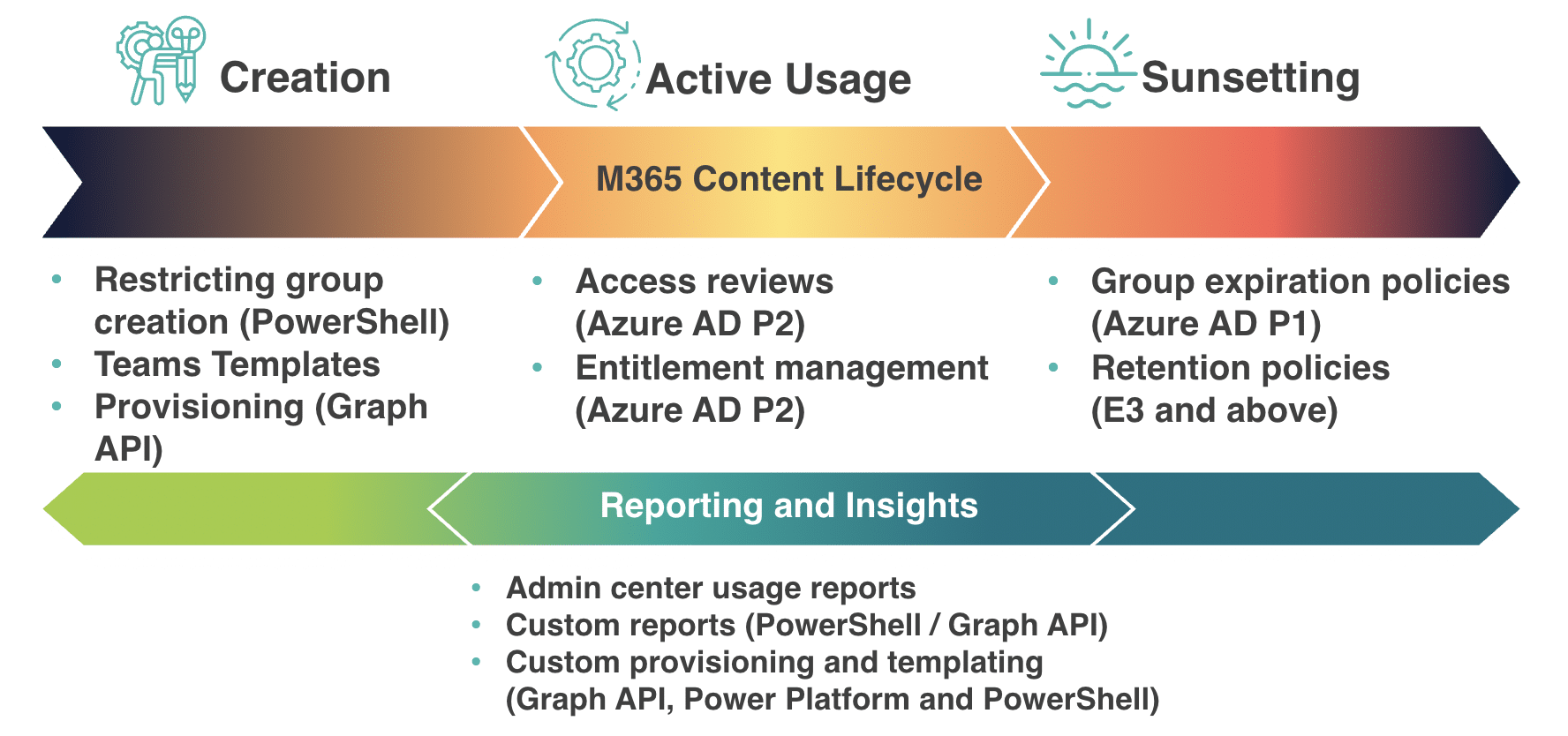
A team within your MS Teams platform undergoes a lot, to understand how it progresses we have broken the process down into three distinct stages:
- Creation – The first stage when the team is provisioned or requested by users and how features and governance are integrated into each team in MS Teams.
- Usage – The active usage stage when collaboration, sharing, communication, and all the activity really takes place.
- Sunsetting – The final stage of the team, once it has served or fulfilled the needs of the business and the steps for managing it from here on.
Implementing Lifecycle Management with Microsoft 365 Tools
There are several tools and resources within Microsoft 365 that help manage your MS Teams environment. You can use these tools at different stages of a team in MS Teams to ensure it is active, purpose-driven, and kept track of for when it may be ready for deletion.
Lifecycle Management at the Creation Stage
During the Creation stage, here is what you can do to ensure that teams are not created unnecessarily:
- Planning governance around the creation of teams in MS Teams is key to preventing sprawl. Some sort of training for end users can go a long way in reducing the number of unnecessary groups and teams. You can further limit creation by only allowing a subset of people and enforce a provisioning process for others to request teams.
To learn more about getting the governance aspect of Microsoft Teams right, download our guide on planning pre-deployment governance: https://www.orchestry.com/resource/microsoft-teams-governance-planning-adoption/
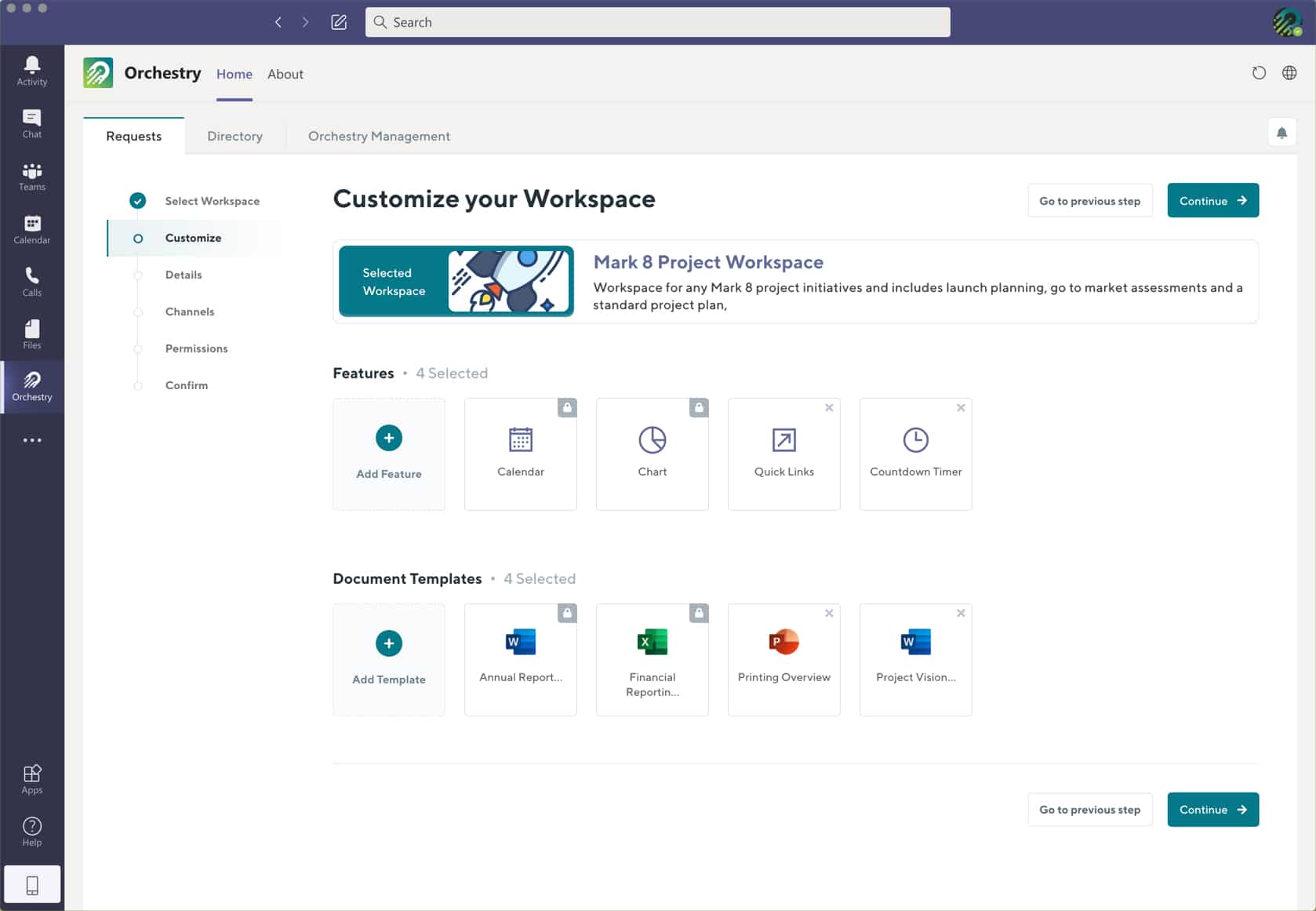
- Custom templating and provisioning is a great way to keep users from starting their collaboration on a blank slate. This helps them avoid the confusion around which features to integrate as templates, already including the best solution sets for their use case. Templating is powerful in promoting adoption and driving the real usage of MS Teams.
Lifecycle Management during the Active Stage
During the Active Usage stage, you can look into monitoring capabilities to ensure adequate usage of teams:
- Entitlement management is not something generally explored by companies, but this can prove to be really powerful for companies by delegating administrative tasks to non-admin members. It allows admins to create access packages that you want to grant people rights to instead of all resources within the platform. Cataloging resources is an efficient way to control access.
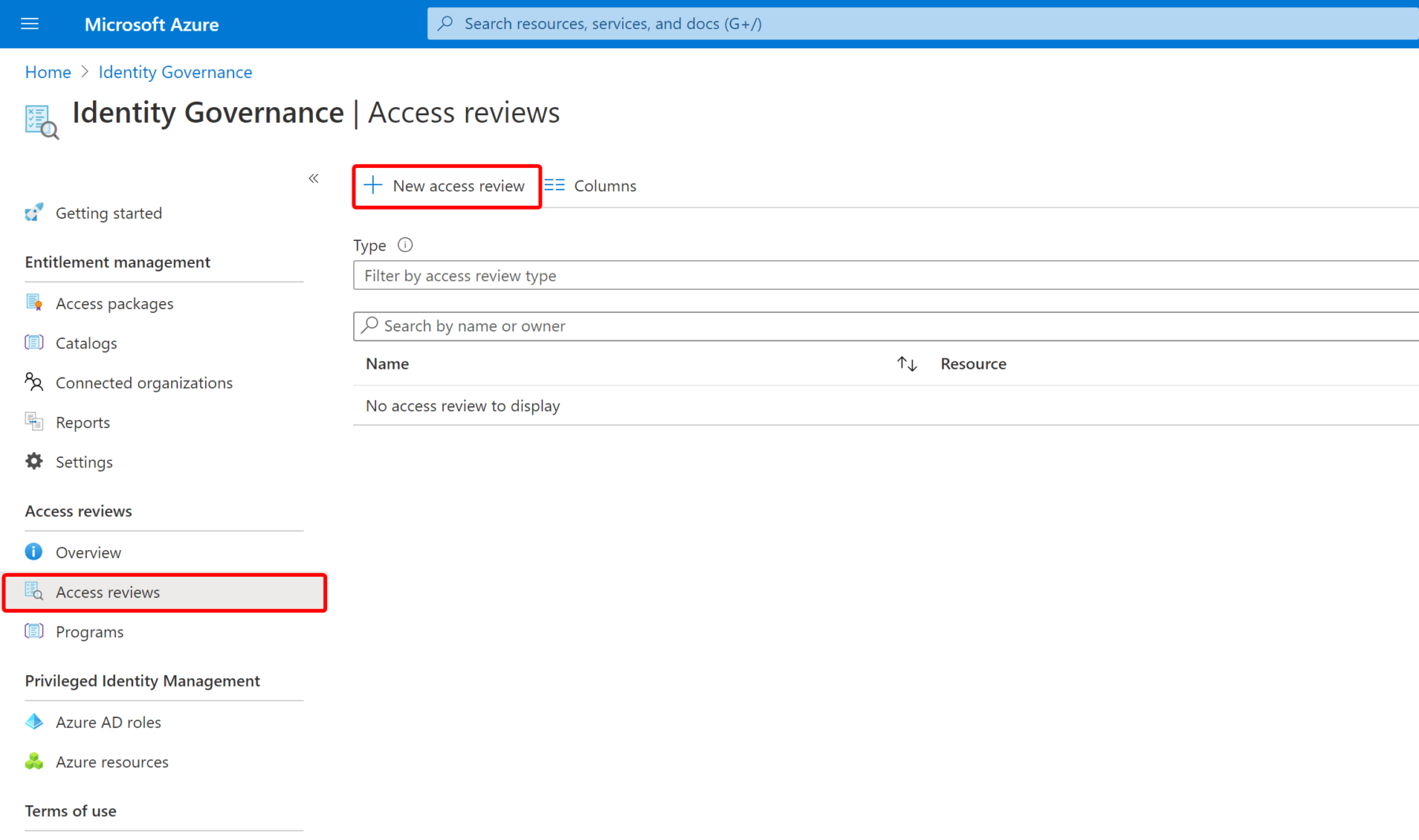
- Access review elements are essential to keep track of changes in your teams. This helps monitor external guests or internal members when they get access to particular projects or get access for particular periods of time.
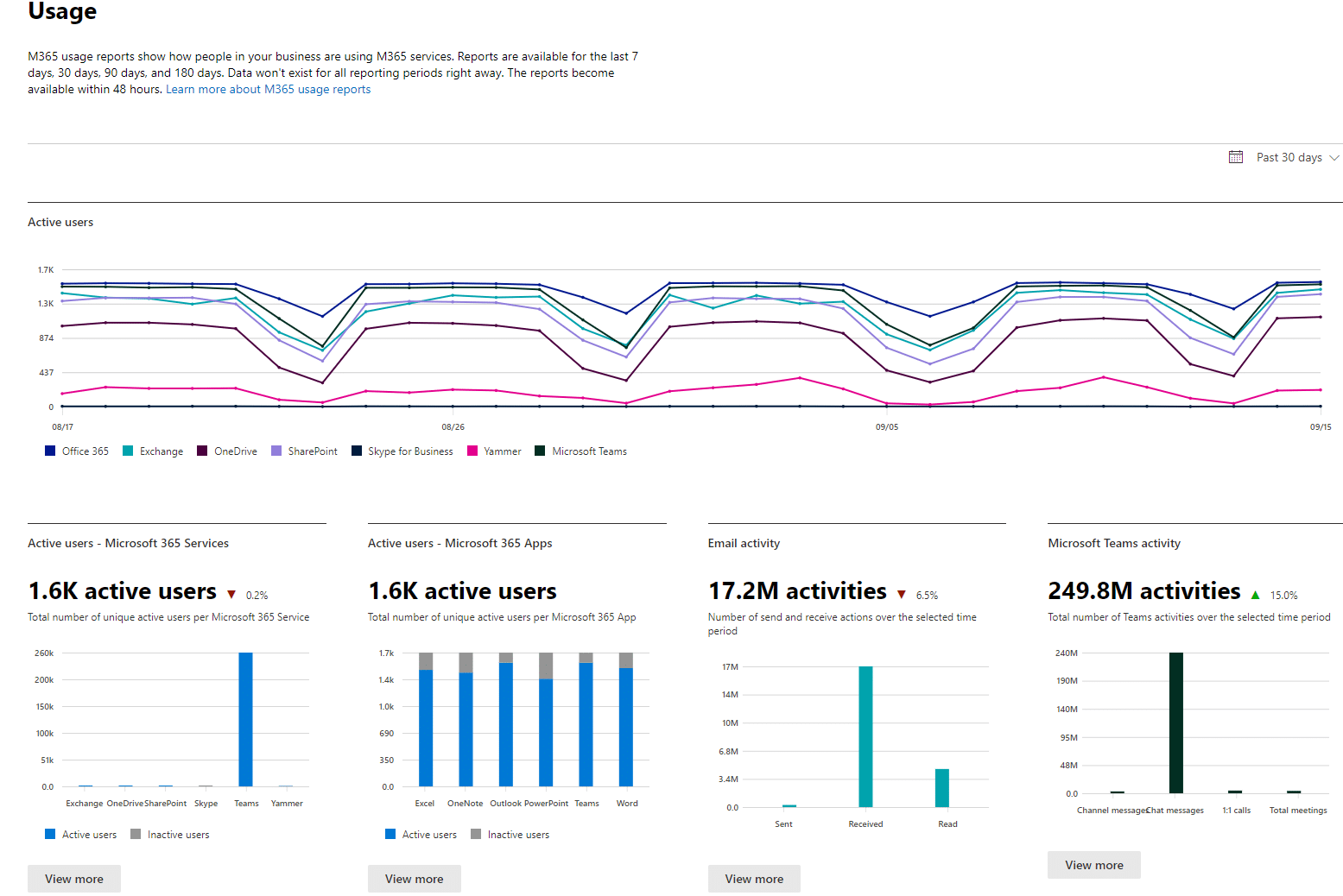
- Tracking usage, with the help of reporting and analytics, enables the vision to assess the need for a team. From the Microsoft 365 Admin Center for in-built analytics to PowerBI for custom-built reports, you can utilize any number of these for different levels of analysis on how members are engaging with teams in MS Teams.
Lifecycle Management for Sunsetting teams
The final Sunsetting stage is crucial for the management of your MS Teams platform as a whole, let’s take a look at what you can do to ensure teams are taken care of towards the end of their lifecycle.
- Expiration policies are extremely useful in ensuring that no irrelevant teams or resources are floating around after their purpose is served. Setting an expiration date or timeline for a team will help team owners stay more accountable. If they need to continue using the team, they can easily renew it before the expiration. The one thing to be mindful of is that if a team is deleted, every resource and feature associated with it is also lost.
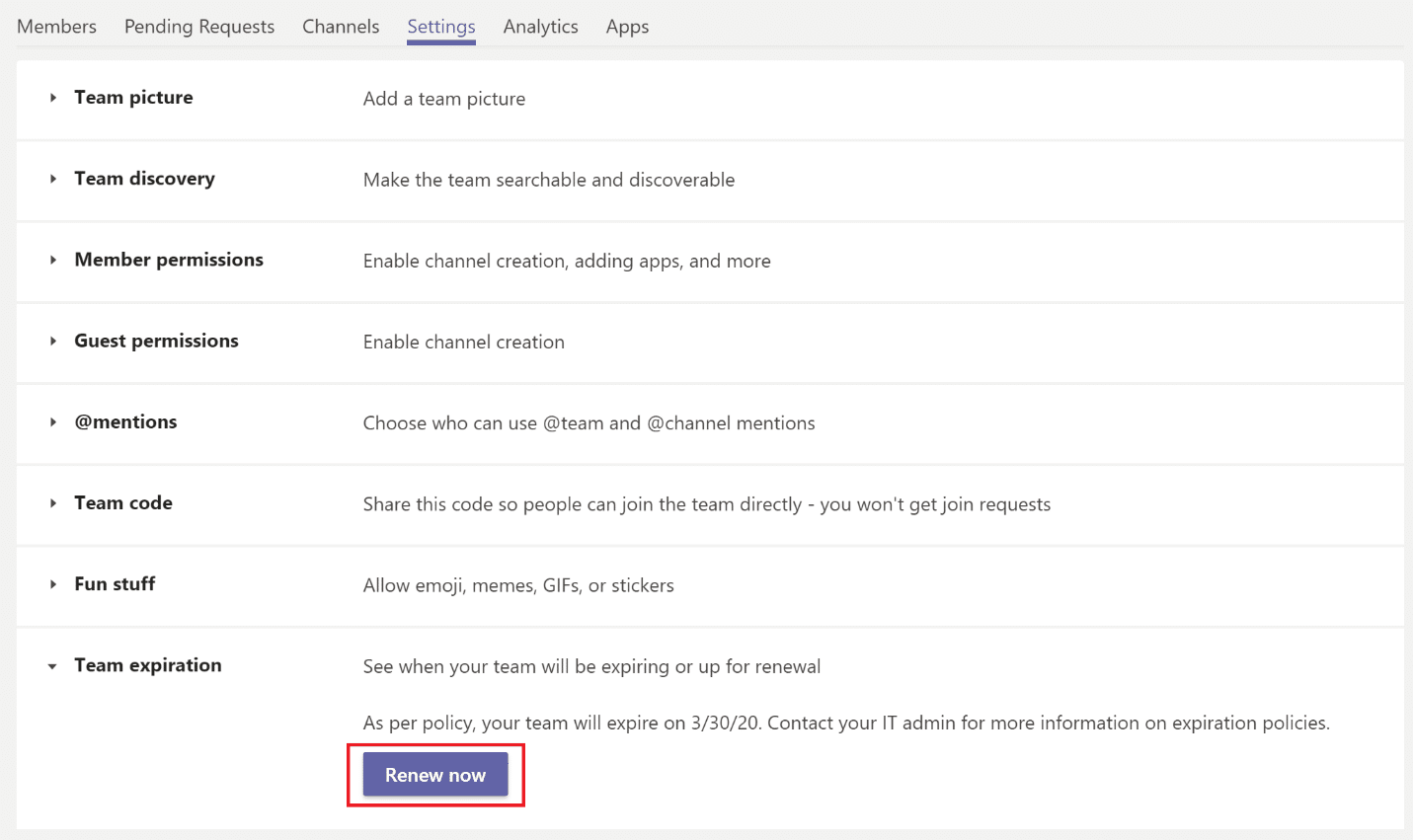
- Retention policies can come in handy if you want to retain information even after a team is no longer being used. You can easily set retention periods for documents, SharePoint sites, files, etc., and store them for extended periods of time.
For a more detailed insight on how to implement lifecycle management and better control of your MS Teams environment, you must watch our session recording: https://www.orchestry.com/event/the-lifecycle-of-a-team-coming-to-grips-with-lifecycle-management/
Microsoft Teams Management with Orchestry
Orchestry’s core capabilities are designed to empower you with the most efficient MS Teams set up possible. Each capability, Transparent Microsoft 365 Governance, Self-Service Workspace Provisioning, Pre-Built Workspace Templates, and Informative Workspace Directory have been built to cater to different stages of a team’s longevity in MS Teams.
Orchestry is here to simplify your experience with Microsoft Teams and allow you to use it to its full potential; lifecycle management plays a key role in all of this. Don’t believe us? Try a different perspective to understand how you can make use of lifecycle management for your MS Teams platform by exploring this use case we have put together.