/HubSpot%20-%20eBook%20-%20Proof%20Card%20Mockup%20001.jpg?length=1000&name=HubSpot%20-%20eBook%20-%20Proof%20Card%20Mockup%20001.jpg)
/HubSpot%20-%20eBook%20-%20Proof%20Card%20Mockup%20001.jpg?length=1000&name=HubSpot%20-%20eBook%20-%20Proof%20Card%20Mockup%20001.jpg)
/HubSpot%20-%20eBook%20-%20Proof%20Card%20Mockup%20001.jpg?length=1000&name=HubSpot%20-%20eBook%20-%20Proof%20Card%20Mockup%20001.jpg)
/HubSpot%20-%20eBook%20-%20Proof%20Card%20Mockup%20001.jpg?length=1000&name=HubSpot%20-%20eBook%20-%20Proof%20Card%20Mockup%20001.jpg)
/HubSpot%20-%20eBook%20-%20Proof%20Card%20Mockup%20001.jpg?length=1000&name=HubSpot%20-%20eBook%20-%20Proof%20Card%20Mockup%20001.jpg)
/HubSpot%20-%20eBook%20-%20Proof%20Card%20Mockup%20001.jpg?length=1000&name=HubSpot%20-%20eBook%20-%20Proof%20Card%20Mockup%20001.jpg)
/HubSpot%20-%20eBook%20-%20Proof%20Card%20Mockup%20001.jpg?length=1000&name=HubSpot%20-%20eBook%20-%20Proof%20Card%20Mockup%20001.jpg)

/HubSpot%20-%20eBook%20-%20Proof%20Card%20Mockup%20001-min.jpg?length=1000&name=HubSpot%20-%20eBook%20-%20Proof%20Card%20Mockup%20001-min.jpg)


With an evolving digital workplace, organizations are in need of better supporting their employees to bring their “best selves” to work. Positioned as an enhancement to Microsoft Teams, Microsoft Viva aims to transform and improve the work-from-home experience. The platform is here to make people feel empowered and connected in the workplace. In this blog, we will discuss the modules of this employee experience platform and what it means for information architecture and organizational communication.
What is an Employee Experience Platform?
The digital workplace is a complex space with hundreds of applications for communication, collaboration, knowledge, and transactions for employees to learn and use. Each of tool has its own user interface, experience, login, varying profiles, making them all so different from one another.
An employee experience platform attempts to unify all of these experiences into one by aggregating them into a unified platform, in this Microsoft Viva and MS Teams.
Let us explore each of the new Viva applications:
Viva Connections
Powered by SharePoint, Viva Connections is the curated, personalized news, conversations, and community updates for users packed with stories, live events, videos, and other content types.
Through Viva Connections, Microsoft Teams brings SharePoint and Yammer directly into your collaboration space. With this, the reach of your content from SharePoint and Yammer is extended, allowing communicators and leaders to reach employees efficiently.
The exciting component is that you can customize your Viva Connections sites from within SharePoint. A powerful feature of boosting content is also available to make sure everyone is in the know about the most important information. You can set it to be pinned at the top until a certain date or till a certain number of impressions is reached.
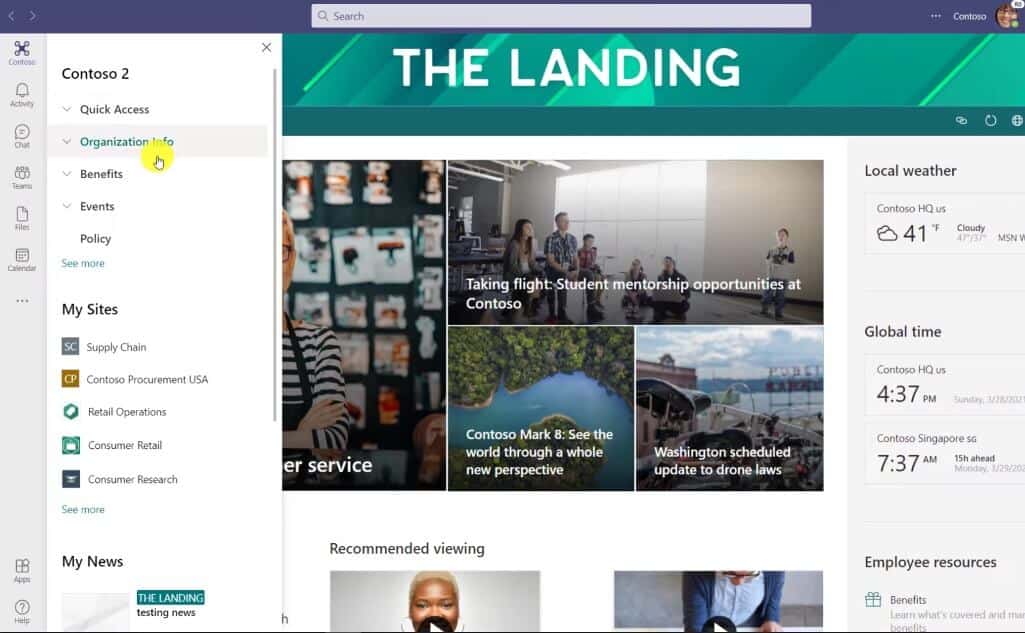
Get Ready Viva Connection
Are you ready for MS Viva Connections? Here is what you need to do before starting with Viva Connections:
- Upgrade to SharePoint Online and conduct a content audit to remove any unwanted content and clean up the environment.
- Deploy a SharePoint Homes site. To reap the benefits of Viva Connections, setting up a Home Site is a requirement.
- Launch Yammer communities to build the feed for your Viva Connections.
Viva Topics
A knowledge management tool, driven by AI, to organize your content and news into categories, Viva Topics is powered by SharePoint Syntex. This application has the ability to turn content into knowledge by keeping employees from spending too much time searching or recreating content that already exists in the company.
Topics are categorized based on content, people, process, product, or customers, and have the ability to link to one another, like a wiki.
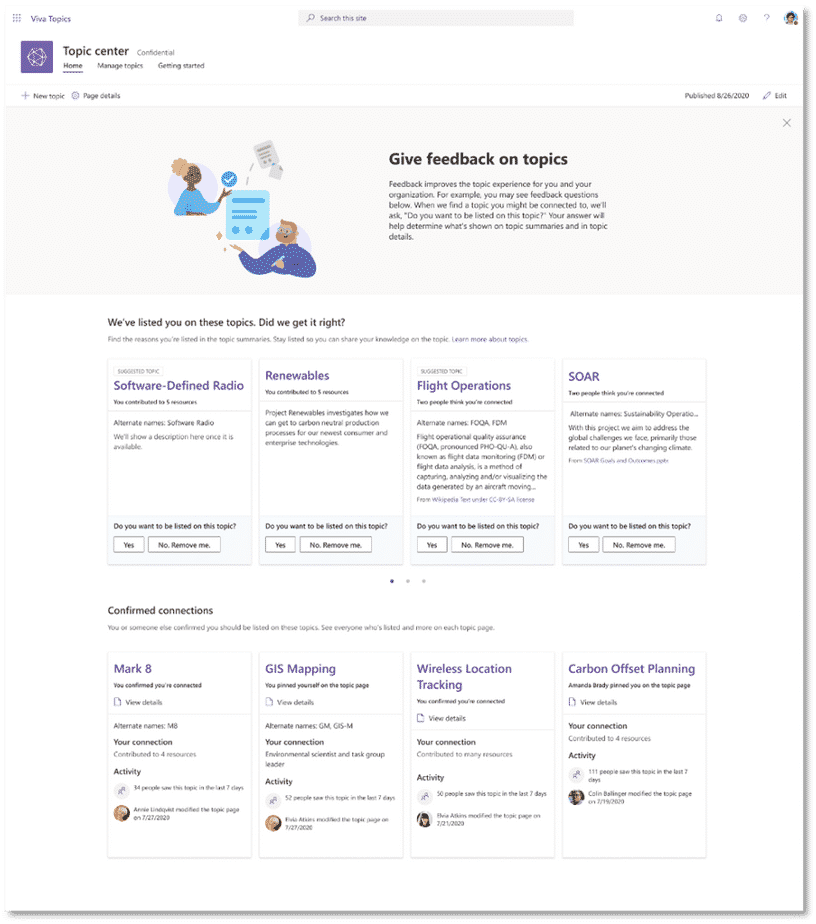
Get Ready for Viva Topics
Topic cards create an interactive experience and generate quick summaries of the subject. These even include alternative names, key people, topic resources and are security controlled so you won’t see topics you shouldn’t.
Viva Topics will be integrated into SharePoint, Microsoft Search, and Teams, with headlines in Outlook and built into Q&A experience to find answers or experts.
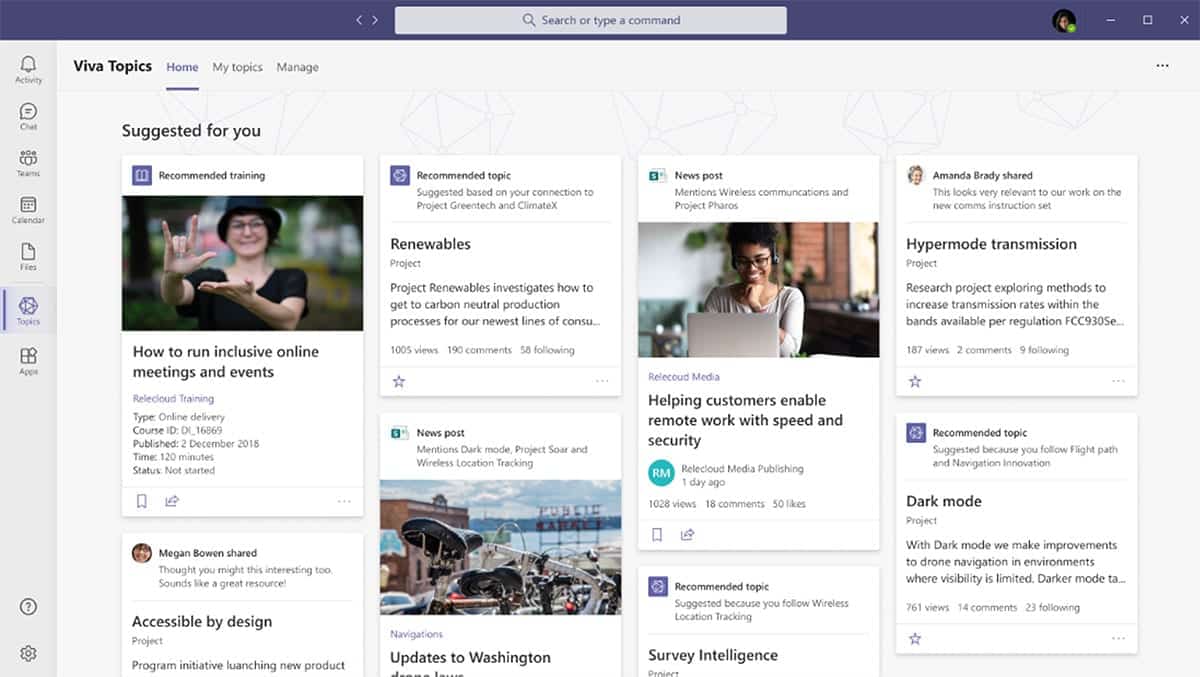
Viva Learning
Offering a simplified learning experience, right in the flow of work. Viva Learning aggregates from existing learning and development materials to develop their skills in the flow of work. It connects with LinkedIn Learning, Microsoft Learn, and other third-party sources like Coursera and PluralSight.
Did you know learning can be manager assigned and you can track and manage progress as well?
Topic-based learning can be embedded in a Teams’ team to upskill everyone and you can set up a dedicated chat button in your MS Teams’ teams for learning!
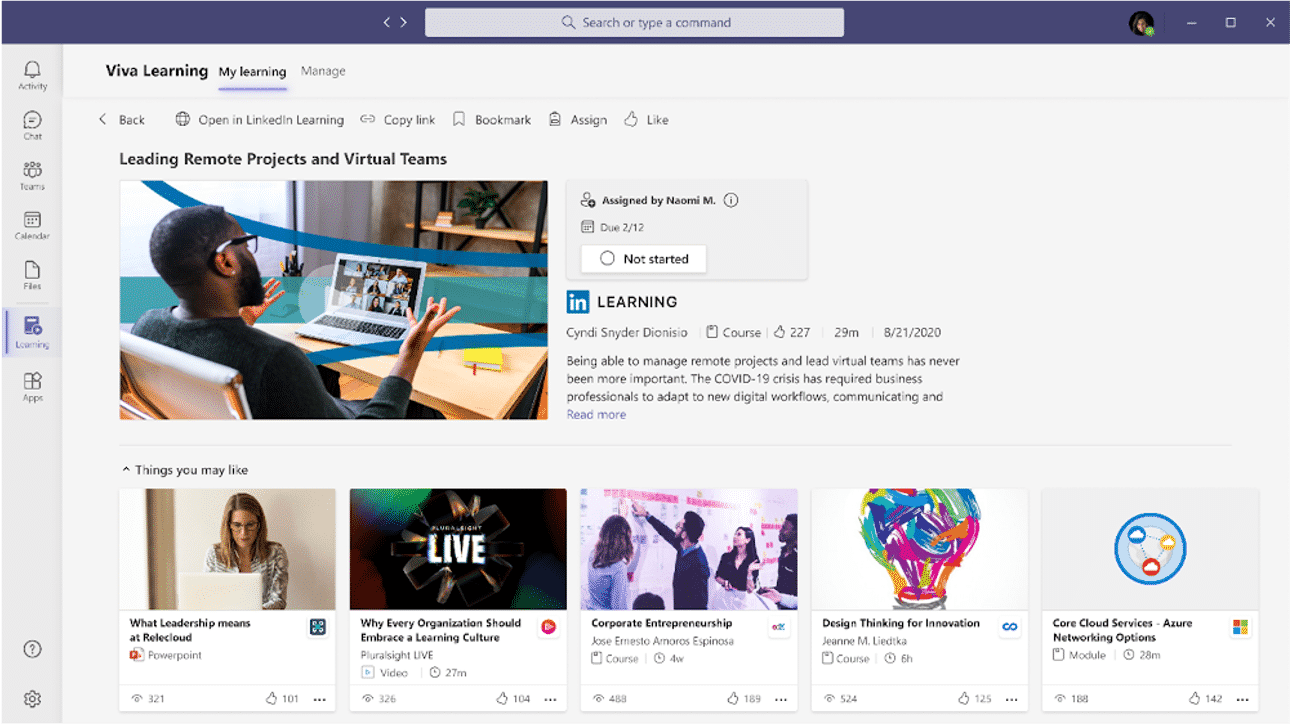
Get Ready for Learning
To get started with Viva Learning, here is what you need to be ready with:
- Learning requires connections to existing learning and development sources so you’ll need to invest and configure those in advance.
- You should also look into preparing your own learning modules and upskill the organization in communications before integrating Viva Learning.
Viva Insights
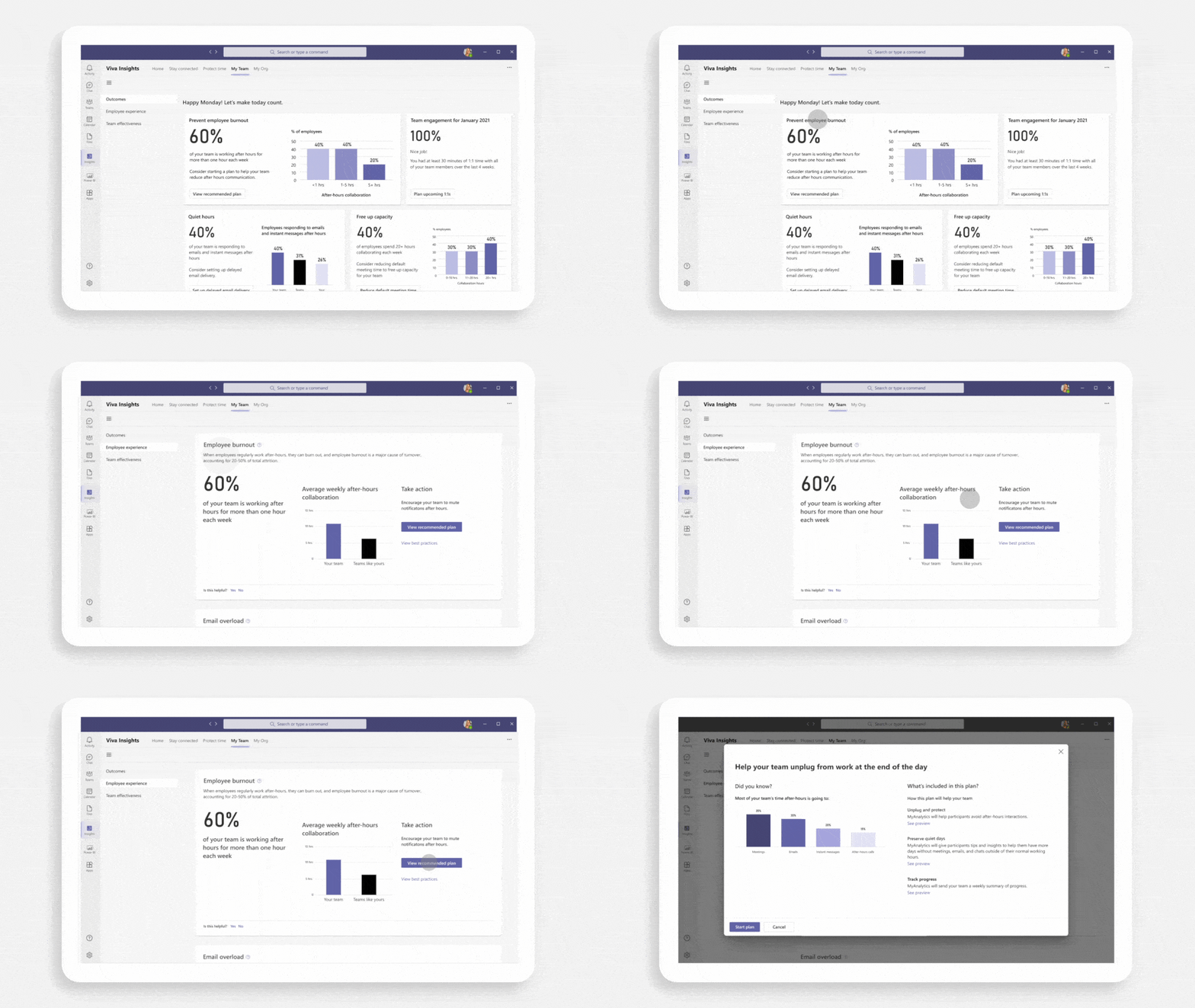
Designed to help people make better use of their time by encouraging employees to plan focus hours, or unplug destress to prevent burnout. It combines personal insights and emails from MyAnalytics and Workplace analytics for managers and leaders to give directional input.
It provides employees with guidance on productivity, process, and wellbeing. Viva Insights includes Headspace integration and can include insights from third-party applications too such as Zoom, Workday, and Success Factors.
Get Ready for Insights
Take a look at a few key consideration before you get started with Insights:
- Consider how you’ll communicate analytics access as these are powerful tools for both individuals and managers.
- You can think about adding the Viva Insights app to your MS Teams space now to start the learning experience.
What does Viva mean for Intranets?
Viva is definitely a new place for employees to access content, in fact, the application delivers content to them.
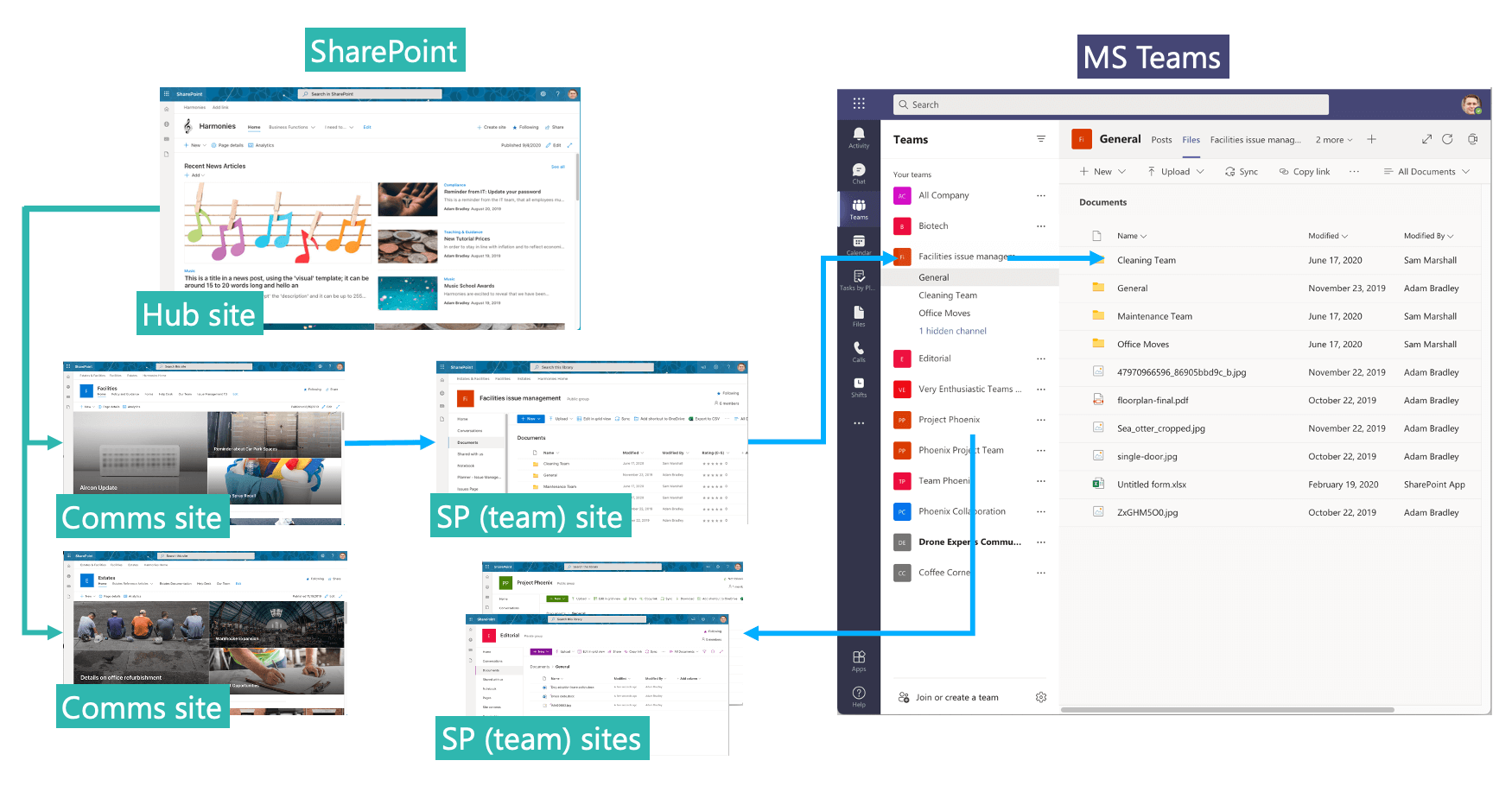
To put things simply – Viva is not a content management system, nor does it store resources, it only aggregates them. So SharePoint remains the source, therefore, you still need an Intranet.
But, you can make use of the Microsoft Viva Teams App to integrate your intranet with your MS Teams environment.
Take a look at our detailed blog to help you understand the process of combining your intranet with MS Teams: https://www.orchestry.com/insight/how-to/ms-teams/combining-intranet-with-microsoft-teams/
What does Viva mean for MS Teams?
Microsoft Viva only strengthens the position of MS Teams as the enterprise hub of work. There is likely to be a shift in its role from a platform for pure collaboration and productivity to include communication, engagement, learning, and wellbeing. One important thing to note is that with this extension, MS Teams administrators are likely to experience an increased need for stronger governance.
Orchestry + Microsoft Viva: Stronger Together
Orchestry can provide users and admins that extra layer of governance that they seek to continue having control over the MS Teams environment. Orchestry’s transparent governance capabilities provide adequate control without creating bottlenecks for users. At the same time, Orchestry, like Microsoft Viva, promotes a streamlined experience of the platform, contributing heavily to its adoption and engagement.
In combination, Orchestry and Microsoft Viva, are powerful tools that enable collaboration and well-being under one unified interface. You can try out a more efficient MS Teams environment today, get free access to Orchestry and start preparing your MS Teams for Viva adoption!
Tag(s):
Microsoft Teams