/HubSpot%20-%20eBook%20-%20Proof%20Card%20Mockup%20001.jpg?length=1000&name=HubSpot%20-%20eBook%20-%20Proof%20Card%20Mockup%20001.jpg)
/HubSpot%20-%20eBook%20-%20Proof%20Card%20Mockup%20001.jpg?length=1000&name=HubSpot%20-%20eBook%20-%20Proof%20Card%20Mockup%20001.jpg)
/HubSpot%20-%20eBook%20-%20Proof%20Card%20Mockup%20001.jpg?length=1000&name=HubSpot%20-%20eBook%20-%20Proof%20Card%20Mockup%20001.jpg)
/HubSpot%20-%20eBook%20-%20Proof%20Card%20Mockup%20001.jpg?length=1000&name=HubSpot%20-%20eBook%20-%20Proof%20Card%20Mockup%20001.jpg)
/HubSpot%20-%20eBook%20-%20Proof%20Card%20Mockup%20001.jpg?length=1000&name=HubSpot%20-%20eBook%20-%20Proof%20Card%20Mockup%20001.jpg)
/HubSpot%20-%20eBook%20-%20Proof%20Card%20Mockup%20001.jpg?length=1000&name=HubSpot%20-%20eBook%20-%20Proof%20Card%20Mockup%20001.jpg)
/HubSpot%20-%20eBook%20-%20Proof%20Card%20Mockup%20001.jpg?length=1000&name=HubSpot%20-%20eBook%20-%20Proof%20Card%20Mockup%20001.jpg)

/HubSpot%20-%20eBook%20-%20Proof%20Card%20Mockup%20001-min.jpg?length=1000&name=HubSpot%20-%20eBook%20-%20Proof%20Card%20Mockup%20001-min.jpg)


Don't panic. The robots haven't become sentient. At least, not yet.
But with Halloween approaching, I've been thinking about zombies: the slow-moving, somehow-still-here kind that nobody remembers inviting in. Strangely enough, that keeps bringing me back to AI agents.
Somewhere in your Microsoft 365 environment, agents are already multiplying. IT built some, developers built others, and enthusiastic business users built the rest. Most of these agents have perfectly good reasons for existing today, and that last word is doing a lot of work.
Why agents are the next wave of Microsoft 365 sprawl
Think back to the early days of Microsoft Teams, when creating a Team was wonderfully easy. So we created them, one for every department, project and committee, plus a few more because nobody could remember what the first one was called. SharePoint, Microsoft 365 Groups and Power Platform followed the same path, and eventually we gave the aftermath a name: sprawl.
Now we're watching the same movie again, except this time the things multiplying don't sit quietly waiting for someone to open a document. Agents retrieve information, connect to systems and, increasingly, take action.
Sprawl, it seems, has learned how to walk.
Zombie agents: how useful agents outlive their purpose
A zombie agent is an agent still running in your Microsoft 365 tenant after the project, owner or purpose that justified it has gone.
Picture an ordinary project. A team sets up a SharePoint site, someone adds an agent to help people find their way around it, and other departments are doing the same with their own policies and content. None of this is alarming. It's exactly what we want.
Then time passes. The project ends, people change departments, and the developer who understood a particularly clever agent leaves for another company, presumably taking its secrets and their favorite coffee mug with them.
The organization moves on. The agents may not.
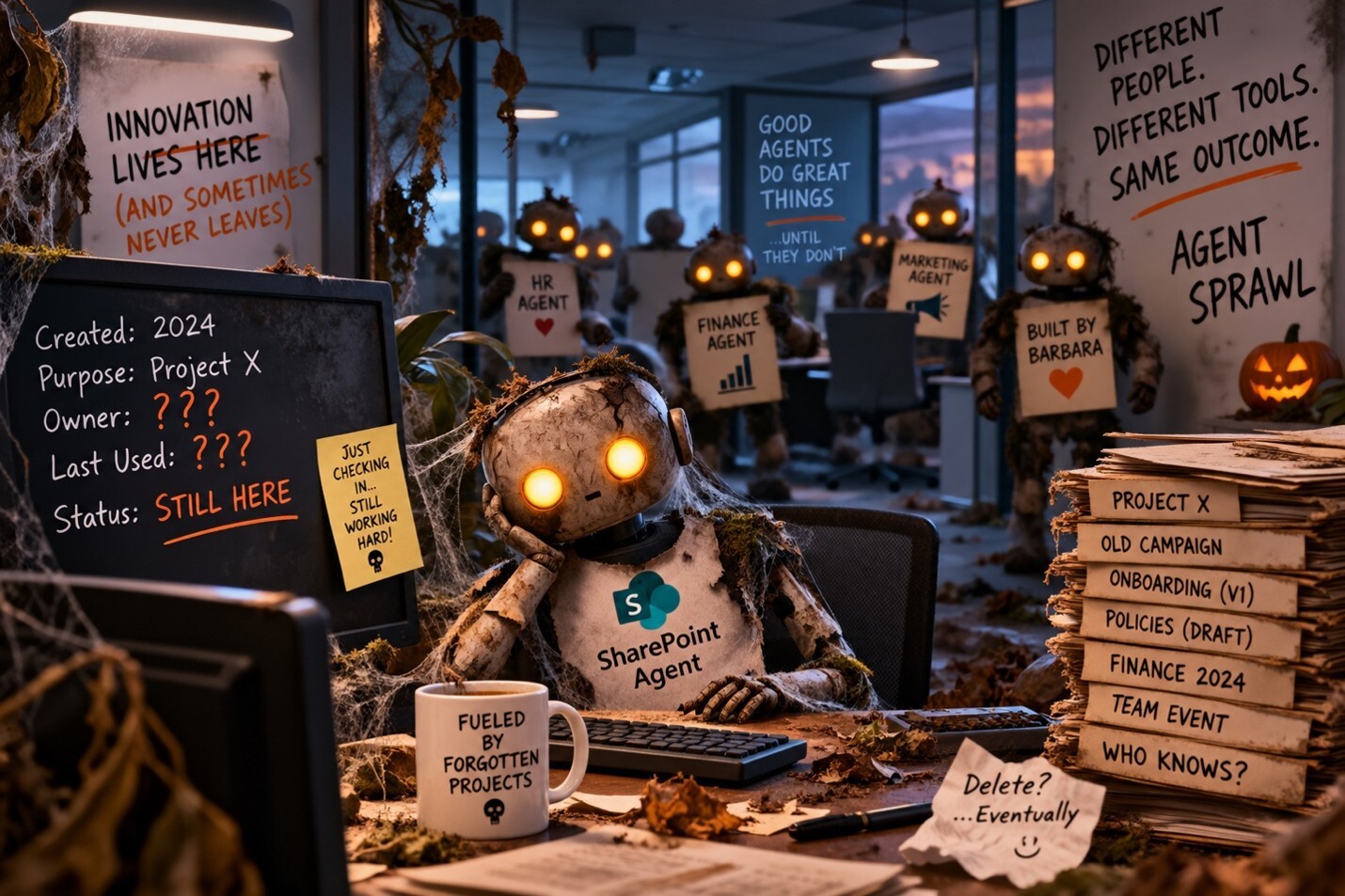
Some of these agents may actually be useful. Some may be doing absolutely nothing. Others may still have access to information they were given months ago.
Maybe their permissions are entirely appropriate, or maybe the underlying content they can access has changed. Maybe someone uses them every day, or maybe nobody has touched them since they were created one particularly productive Tuesday afternoon.
Look, that's one hell of a lot of maybes.
You may not know whether any of these agents is wreaking havoc. And that's how an agent becomes a zombie. Not because it suddenly develops an appetite for brains, but because it has outlived the context that once made its existence make sense.
The agents aren't the villains
It would be easy to turn this into a warning about the dangers of AI. That isn't the point.
Agents are exciting because they make huge amounts of information easier to use and take repetitive work off people's plates. We should want people to experiment with them.
The challenge is that agents don't all arrive through one carefully guarded front door with IT standing beside it holding a clipboard. They emerge through SharePoint, Microsoft 365 Copilot, Agent Builder and Copilot Studio, and developers build their own.
Some will be carefully planned enterprise initiatives with named owners and governance attached from day one. Others will begin, as many surprisingly consequential pieces of technology do, with someone saying, "I wonder if I can get this thing to…" And they probably can.
That's exciting. It's also how you can end up with an agent goat rodeo surprisingly quickly.
Nobody did anything wrong. Creation is simply happening in different places, by different people, at different speeds. Without visibility and some kind of lifecycle around all of it, even reasonable experimentation can become remarkably difficult to rein back in.
Eventually somebody is going to ask a deceptively simple question: how many agents do we actually have?
That question tends to bring friends:
- Who owns them?
- Which ones are still being used?
- What can they access, and which can take action?
- Which were experiments nobody cleaned up?
- What happened to the agents owned by people who no longer work here?
Suddenly, what looked like an AI problem starts looking suspiciously familiar. It's a governance problem.
Agent lifecycle management is a playbook we already know
Agent lifecycle management means knowing every agent from creation to retirement: who owns it, what it can reach, and when it should go.
Microsoft 365 governance has always been about understanding the lifecycle of the things we create. A Team, SharePoint site or Microsoft 365 Group has a purpose. Someone owns it, someone uses it and its permissions should make sense.
Eventually, someone should also determine whether that purpose still exists. Agents deserve the same consideration, with one important wrinkle: they can do more.
A forgotten Team may be clutter. An abandoned SharePoint site may contain information that should have been archived or secured. But an agent can act on information and connect to other systems.
The more capable agents become, the less comfortable we should be with not knowing where they are or whether anyone is still responsible for them.
That doesn't mean putting a six-page approval form in front of every employee who wants to experiment with AI. Nothing kills innovation quite like being told your exciting idea will be reviewed by the Governance Steering Subcommittee at its next quarterly meeting.
Good governance is what makes creation sustainable. For every agent, you should be able to answer five questions:
- What exists, and why?
- Who owns it?
- What can it access?
- Is anyone still using it?
- Does it still need to exist?
When an agent no longer needs to exist, retire it. Preferably before it starts wandering.
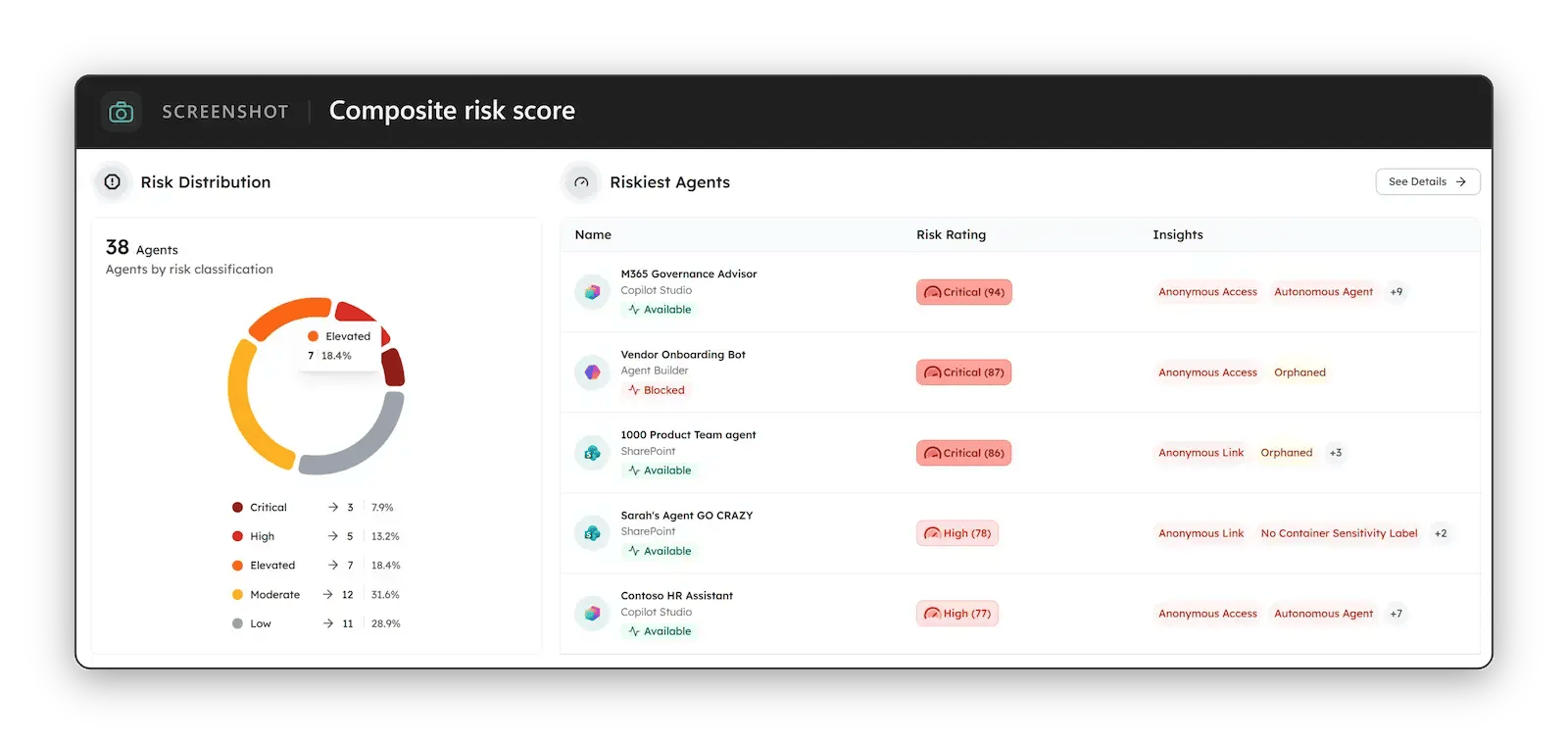
That's the job Orchestry's AI & Agents section is built for: a cross-platform roster of the agents in your tenant, with a 0 to 100 risk score for each and named insights on access, sharing and ownership, so an agent whose owner has left stands out instead of shambling along unnoticed. When an agent has outlived its purpose, you can delete it from one place, and it stays on record with a Deleted status.
The agent apocalypse will be surprisingly boring
If there is an agent apocalypse, I don't think there will be sirens. Nobody is going to run screaming through the streets, and your Copilot agents are probably not secretly coordinating the downfall of humanity. It will be much quieter.
It will happen one sensible decision at a time. An agent built for a project. A project ending. An owner leaving. A permission nobody revisits.
And then, perhaps during an audit, a security review or one particularly unfortunate meeting, someone will finally ask: "Wait… how many agents do we have?"
That's the agent apocalypse: the moment we realize that while we were busy teaching agents how to work for us, we forgot to make sure we could still see them. The agents didn't turn evil, and we weren't wrong to create them. Most of them aren't dangerous at all, but some will have quietly outlived their purpose.
So don't fear the zombies; just know where they are. Not knowing isn't defensible, and as agents become more capable, observability isn't optional. We need to be able to see what exists, understand what it's doing and intervene when necessary.
After all, the zombie you can see is rarely the one you need to worry about. It's the one you didn't know was behind you.
Find the agents you've lost track of
If you're not sure how many agents are in your tenant, or who still owns them, an Orchestry walkthrough shows you your own agent roster. Book yours at orchestry.com/demo-request.