/HubSpot%20-%20eBook%20-%20Proof%20Card%20Mockup%20001.jpg?length=1000&name=HubSpot%20-%20eBook%20-%20Proof%20Card%20Mockup%20001.jpg)
/HubSpot%20-%20eBook%20-%20Proof%20Card%20Mockup%20001.jpg?length=1000&name=HubSpot%20-%20eBook%20-%20Proof%20Card%20Mockup%20001.jpg)
/HubSpot%20-%20eBook%20-%20Proof%20Card%20Mockup%20001.jpg?length=1000&name=HubSpot%20-%20eBook%20-%20Proof%20Card%20Mockup%20001.jpg)
/HubSpot%20-%20eBook%20-%20Proof%20Card%20Mockup%20001.jpg?length=1000&name=HubSpot%20-%20eBook%20-%20Proof%20Card%20Mockup%20001.jpg)
/HubSpot%20-%20eBook%20-%20Proof%20Card%20Mockup%20001.jpg?length=1000&name=HubSpot%20-%20eBook%20-%20Proof%20Card%20Mockup%20001.jpg)
/HubSpot%20-%20eBook%20-%20Proof%20Card%20Mockup%20001.jpg?length=1000&name=HubSpot%20-%20eBook%20-%20Proof%20Card%20Mockup%20001.jpg)
/HubSpot%20-%20eBook%20-%20Proof%20Card%20Mockup%20001.jpg?length=1000&name=HubSpot%20-%20eBook%20-%20Proof%20Card%20Mockup%20001.jpg)
/HubSpot%20-%20eBook%20-%20Proof%20Card%20Mockup%20001-min.jpg?length=1000&name=HubSpot%20-%20eBook%20-%20Proof%20Card%20Mockup%20001-min.jpg)


Microsoft 365 AI & Agents
AI didn't wait for your tenant to be ready
It's already here. Copilot is in the apps your people open every morning, and agents are being built across your tenant by employees who never asked permission. They read your content and answer from whatever the person using them can reach, which is how a single overshared file becomes an AI problem.
Getting ready for AI was always going to be a moving target. Governing it isn't a project you finish, it's a practice you keep. Orchestry gives you one place to do that.



.svg)
.svg)


Sample data — interactive demo
.png?width=202&height=47&name=Orchestry_Full_Logo_White_Text_Light%20(1).png)
AI & Agents
Control the content your AI runs on
Govern the content and permissions AI reads, and the agents built on them. See every agent, what drove its risk score, and the Power Platform underneath, from one place.
/Hubspot%20-%20eBook%20-%20Center%20001.png)
.png?width=600&height=435&name=AI%20and%20Agents%20-%20Agent%20Growth%20Isolated%2001%20(1).png)
Governing your tenant and governing its AI is now one job
Orchestry has spent years governing what AI reads: the content, the permissions, and now the Power Platform your agents run in. AI governance is that same insight aimed one layer up, at every AI experience in your tenant, everything it can reach, and whether it's earning what you're paying for it.
Agents are one kind of AI. We're building toward governing all of it:
 Pinpoint what your AI actually uses, not just the sources it points at
- Review agents on a schedule, owned by the people who build them
- Prove where AI is making a difference, what it touches, what it's worth, and what it costs
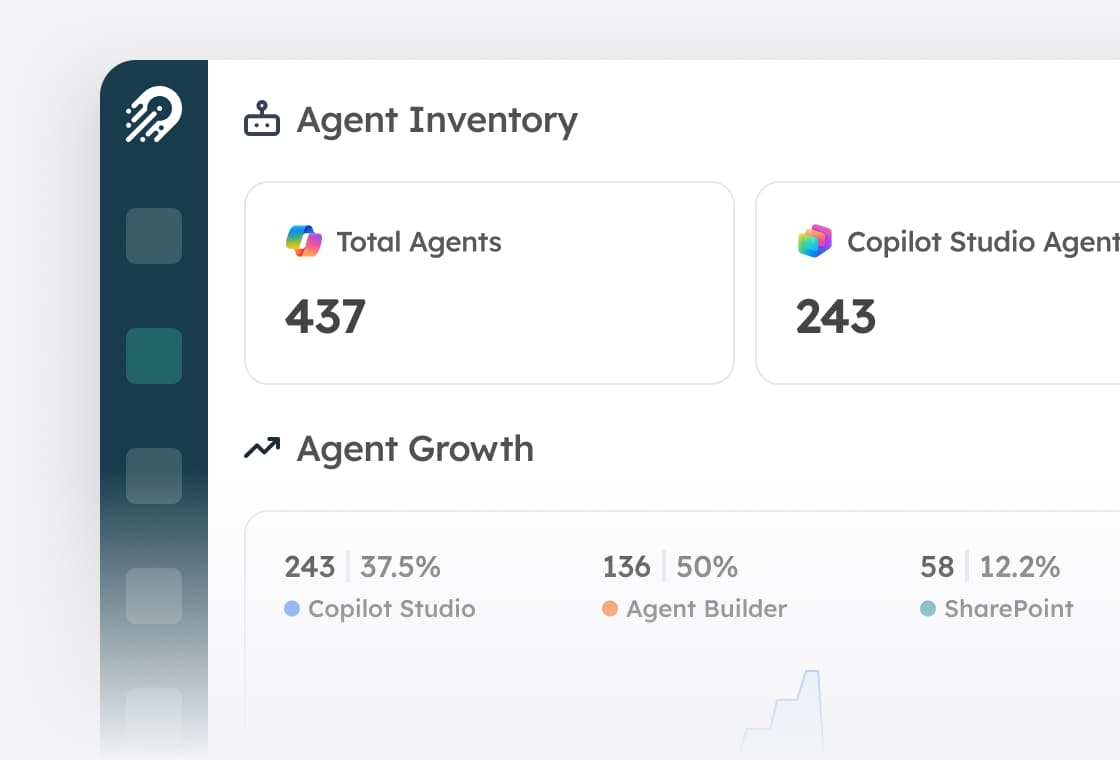
Agent inventory
A cross-platform inventory of every agent in your tenant. See sprawl, creation patterns, and where risk concentrates, in one roster instead of five portals.
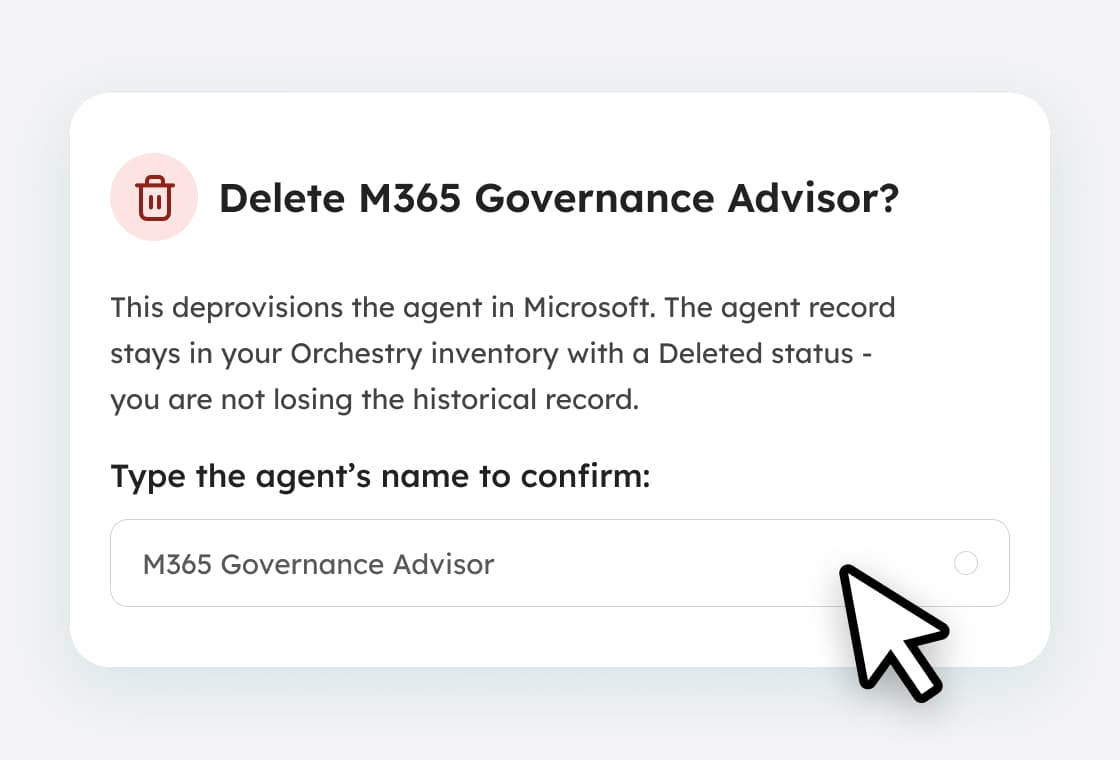
Agent remediation
Delete agents from one place. Deleted agents are retained with a Deleted status, so nothing disappears without a record.
Power Platform inventory
Reporting on the environments, DLP policies, custom connectors, and solutions your agents run on. Agents aren't free-floating objects, and governing them means governing where they run. (Flows and Apps coming soon!)
.jpg)
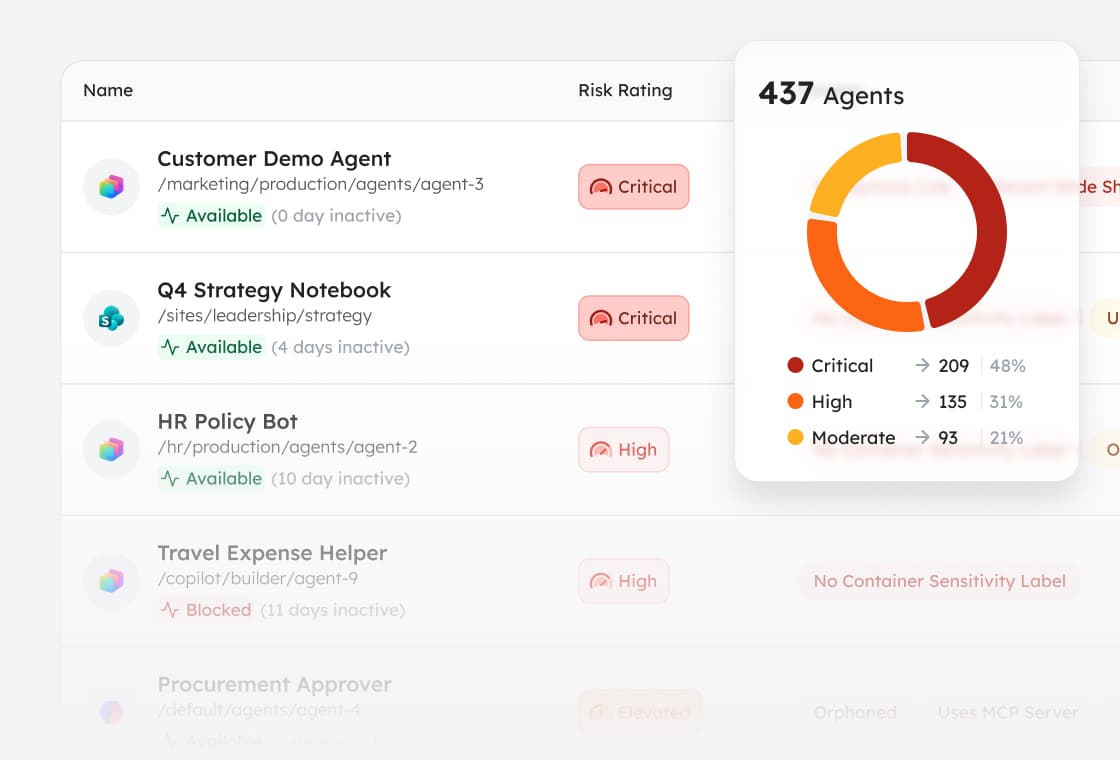
Insights and risk score
A 0 to 100 composite risk score for every agent, banded into five tiers, with named insights across access, sharing, sensitivity labeling, and ownership that show you what drove each score.

AI readiness scoring
A single tenant-wide, model-agnostic readiness score built from 13 signals across oversharing, governance, and Orchestry safeguards, measured across your whole tenant rather than a sample. Drill through to what's behind the number.

Oversharing detection
A recurring tenant-wide scan for the conditions that raise AI disclosure risk, with one-click actions at the workspace level. Find what AI would surface before it surfaces it.

Search and Copilot visibility
Include or exclude any site from Microsoft Search and Copilot as part of a Workspace Review, using standard SharePoint indexing. No SharePoint Advanced Management license required.

Archival that shrinks the surface
Archive inactive content to cold storage and it stops being available for Copilot to ground on, so cleanup reduces what AI can reach.