/HubSpot%20-%20eBook%20-%20Proof%20Card%20Mockup%20001.jpg?length=1000&name=HubSpot%20-%20eBook%20-%20Proof%20Card%20Mockup%20001.jpg)
/HubSpot%20-%20eBook%20-%20Proof%20Card%20Mockup%20001.jpg?length=1000&name=HubSpot%20-%20eBook%20-%20Proof%20Card%20Mockup%20001.jpg)
/HubSpot%20-%20eBook%20-%20Proof%20Card%20Mockup%20001.jpg?length=1000&name=HubSpot%20-%20eBook%20-%20Proof%20Card%20Mockup%20001.jpg)
/HubSpot%20-%20eBook%20-%20Proof%20Card%20Mockup%20001.jpg?length=1000&name=HubSpot%20-%20eBook%20-%20Proof%20Card%20Mockup%20001.jpg)
/HubSpot%20-%20eBook%20-%20Proof%20Card%20Mockup%20001.jpg?length=1000&name=HubSpot%20-%20eBook%20-%20Proof%20Card%20Mockup%20001.jpg)
/HubSpot%20-%20eBook%20-%20Proof%20Card%20Mockup%20001.jpg?length=1000&name=HubSpot%20-%20eBook%20-%20Proof%20Card%20Mockup%20001.jpg)
/HubSpot%20-%20eBook%20-%20Proof%20Card%20Mockup%20001.jpg?length=1000&name=HubSpot%20-%20eBook%20-%20Proof%20Card%20Mockup%20001.jpg)

/HubSpot%20-%20eBook%20-%20Proof%20Card%20Mockup%20001-min.jpg?length=1000&name=HubSpot%20-%20eBook%20-%20Proof%20Card%20Mockup%20001-min.jpg)


This quarter brings greater visibility and control across Microsoft 365: expanded OneDrive governance, new licensing insights, and more granular access controls.
Follow along with Dave Francoeur, Orchestry's Head of Product Strategy & Innovation, as he walks through the new OneDrive governance dashboard, the licensing opportunities view, and the new role-based access controls.
OneDrive governance: Visibility where it's been missing
Traditionally, managing OneDrive at scale has been a challenge, with limited visibility into ownership, sharing, and storage growth.
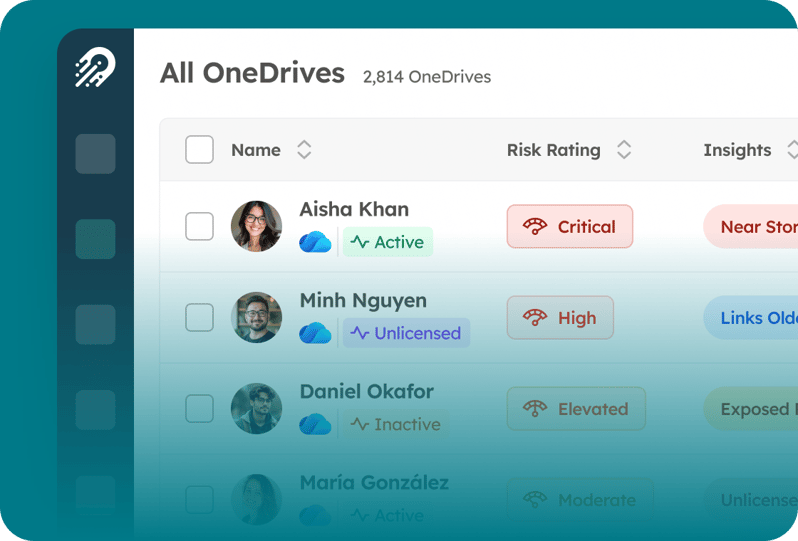
With Orchestry’s OneDrive governance capabilities, admins can now access centralized reporting across:
- Risk indicators and ownership context
- Storage usage and growth trends
- Sharing links and external access
- Unlicensed or inactive OneDrives
This makes it easier to identify governance gaps, reduce risk, and take action without relying on scripts or manual processes.
In addition, automated reviews can now be triggered based on real activity (like storage thresholds), helping teams move beyond static governance models.
A new My OneDrive experience also brings visibility directly to end users, giving them better awareness of their own sharing, storage, and content.
Read more: OneDrive governance in Microsoft 365
Licensing reporting & optimization: Turning visibility into action
Microsoft 365 licensing is often complex and difficult to track, especially across large environments with evolving needs.
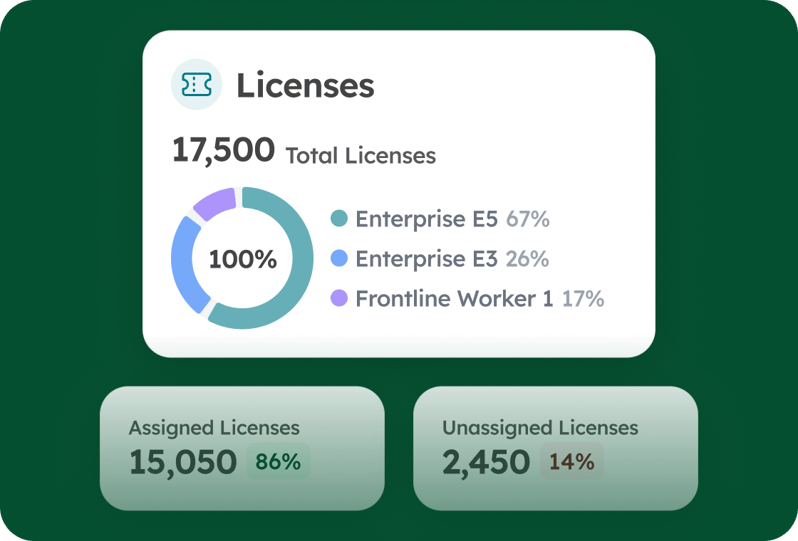
Orchestry introduces deeper visibility into licensing usage and spend, helping organizations understand:
- How licenses are distributed across users and services
- The true cost of their licensing footprint (based on actual pricing)
- Where licenses are unassigned, unused, or underutilized
- Which inactive or disabled users are still consuming licenses
New analysis also highlights overlapping licenses with similar functionality, surfacing opportunities to reduce duplication and optimize spend.
With clearer insight into licensing data, teams can make more informed decisions about where to reduce waste and reallocate investment.
Read more: Microsoft 365 license optimization
Role-based access control: More precision, less risk
As environments grow, so does the need for more structured access control.
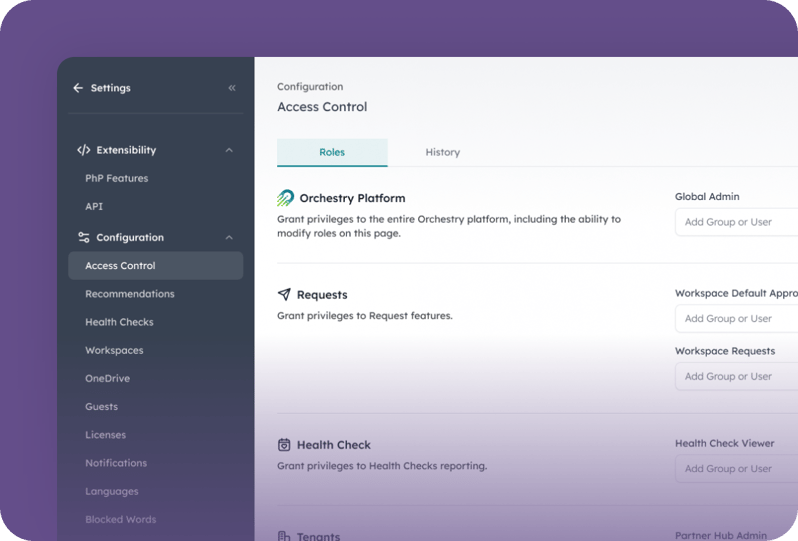
With this update, Orchestry introduces role-based access control (RBAC), allowing organizations to define responsibilities more clearly across different areas of the platform.
Teams can now:
- Assign access based on function (e.g., templates, workspaces, licensing)
- Limit administrative scope to only what’s required
- Track changes over time with built-in audit visibility
This provides a more controlled and accountable governance model, while laying the groundwork for future enhancements like attribute-based access.
Read more: Role-based access control for M365 governance
Orchestry Enterprise: Expanding what you can govern
These updates are part of a broader expansion of Orchestry’s governance capabilities with the introduction of Orchestry Enterprise, a new plan designed for organizations that need greater control across Microsoft 365.
Enterprise brings OneDrive governance, licensing optimization, and role-based access control into the same governance framework already used for Teams and SharePoint, so teams can manage and act on these areas in one place.
This is where M365 governance is heading, and it's just the beginning.
If you're ready to take the next step, talk to your customer success manager or book a demo.