Skip to content

Orchestry Pricing & Plans

Plans that scale, governance that sticks

Trusted by organizations around the world to secure and control Microsoft 365

 G2 Star Collect 5       Capterra Star Collect 5      160+ reviews

Starter
formerly Beacon
Starting at
$200
tenant/month
Pricing in USD
Unlimited users
For teams needing oversight, Starter provides clear tenant visibility to assess risk and readiness.
Get a demo
What's included:
  • Recommendations
  • Health Checks
  • Workspace Reporting
  • License Reporting
  • Guest Reporting
  • Permissions Reporting
  • Copilot Readiness
Professional
Starting at
$2
user/month
Pricing in USD
Discounts for large teams
For organizations ready to act, Professional turns visibility into scalable governance.
Get a demo
Everything in Starter plus:
  • Self-Service Provisioning
  • Workspace Directory
  • Workspace Templating
  • Workspace Archival Automation
  • Workspace Review Automation
  • Guest Request Automation
  • Guest Review Automation
  • Guest Delete Automation
  • Sharing Link Automation
  • Task Dashboard
  • Teams App and Tab
  • Web Parts
  • API
Enterprise
Starting at
$3
user/month
Pricing in USD
Discounts for large teams
For organizations seeking maximum value, Enterprise delivers complete coverage and measurable ROI.
Get a demo
Everything in Professional plus:
  • OneDrive Reporting
  • OneDrive Review Automation
  • OneDrive Dashboard
  • License Optimization
  • MultiGeo Reporting
  • Role Based Access Controls
  • Attribute Based Access Controls

What you get with Orchestry

Badge Icon

SOC 2 Type II Certified, GDPR Compliant

Independent, real-time, third-party audited security and operational controls.

Cloud Secure Icon

Secure by Design

Hosted on Azure in the same region as your tenant with self-hosting options - no global admin or service accounts required.

Manage Icon

Fast Time-to-Value

Deploy in hours with 80+ ready-to-use governance and reporting tools (reports & insights for mitigating risk).

Video Call Icon

Personalized Onboarding + Unlimited Support

Expert customer onboarding tailored to your needs plus unlimited Customer Success support.

Compare all features

Feature
Starter
Professional
Enterprise
Recommendations
Health Checks
Workspace Reporting
License Reporting
Guest Reporting
Permissions Reporting
Copilot Readiness
Self-Service Provisioning
Workspace Directory
Workspace Templating
Workspace Archival Automation
Workspace Review Automation
Guest Request Automation
Guest Review Automation
Guest Delete Automation
Sharing Link Automation
Task Dashboard
Teams App and Tab
Web Parts
APIs
OneDrive Reporting
OneDrive Review Automation
OneDrive Dashboard
License Optimization
MultiGeo Reporting
Role Based Access Controls
Attribute Based Access Controls

quote green

Even if we had hired more people, we still would have lacked a lot of automated controls and visibility. Orchestry is vital to help us with managing our Microsoft 365 environment.

Monash Health logo gray


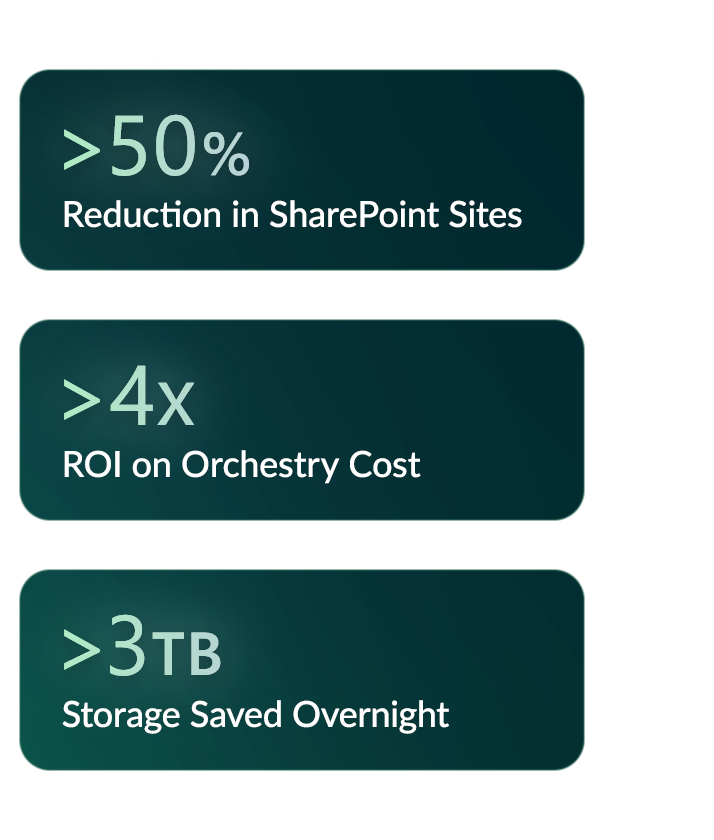
Quote Stats Draft 03

Experience Orchestry for free

Full Enterprise access. No credit card required.

Try for Free Talk to an Expert

Frequently asked questions

Can I try Orchestry for free?

Yes! You can explore Orchestry with a free trial to experience how it simplifies governance, adoption, and management in Microsoft 365. During your trial, you’ll get access to all features available in the Enterprise Plan, so you can see real results before making a commitment. No credit card required.

How is Orchestry pricing calculated?

Orchestry offers flexible annual subscriptions to fit different organizational needs. Professional and Enterprise Plans are billed per user, annually, while the Starter Plan provides a flat annual rate of $2,400 USD.

Can organizations of any size sign on to the Enterprise Plan?

Absolutely. Smaller organizations can upgrade to the Enterprise Plan at any time. This tier unlocks advanced analytics, governance, and reporting tools, along with exclusive features like OneDrive and Licensing Optimization capabilities not available in other tiers. It’s the perfect choice for teams that need deeper visibility, more control, and smarter optimization as they grow.

How does Orchestry support different currencies?

Orchestry supports multiple currencies, including USD, CAD, AUD, GBP, and EUR. All prices are listed in USD by default. Please contact us if you require a quote in a different currency.

Does Orchestry collaborate with partners on pricing or bundled offerings?

Yes. Orchestry works with reseller and implementation partners in 25 countries. Our partners can act as your licensing provider and offer local onboarding and ongoing services. While Orchestry sets standard pricing, partners often bundle Orchestry licenses with their own services to create flexible, value-added solutions. We also support multi-currency pricing (USD, CAD, AUD, GBP, EUR) to make it easy for partners to support customers globally.

What permissions does Orchestry require to function within Microsoft 365?

Orchestry integrates with Microsoft Teams, SharePoint, and other Microsoft 365 services to enhance collaboration and productivity. It does not require Global Admin permissions and operates without storing any Microsoft 365 content.

To deliver its full range of provisioning, governance, and lifecycle management capabilities, Orchestry requests a defined set of Azure AD application permissions, the minimum required for proper operation. As Microsoft updates its permission model, Orchestry is continually aligned to best practices and security standards.

To review the complete list of permissions, contact an Orchestry expert.

How are permissions managed and secured?

Orchestry is hosted on Microsoft Azure, leveraging encryption, secure access controls, and threat detection. Data in transit uses TLS 1.2+, and data at rest is protected with AES-256 encryption. Continuous monitoring through Drata, regular vulnerability scans, penetration testing, and annual third-party audits ensure strong security.

Where does my data reside?

Your Microsoft 365 content and metadata remain securely within your Microsoft 365 tenant. Orchestry data stays in the same Azure geo where your tenant is hosted.

What are Orchestry's security credentials?

Orchestry is SOC 2 Type II certified, validated by an independent third-party audit that confirms the effectiveness of our controls for security, availability, and confidentiality.

Is self hosting an option?

Yes. For partners and customers who prefer to manage their own data, Orchestry offers self-hosting options to host data within their own Azure environment for additional control and security.

How large of an environment can Orchestry comfortably support?

Orchestry is designed to scale across even the largest Microsoft 365 environments, ensuring security, performance, and data integrity through tenant isolation and Azure’s infrastructure.

What counts as a Microsoft user for Orchestry pricing?

A user is any licensed Microsoft 365 user (Business Premium and Enterprise) in your tenant. External guest users and unlicensed accounts are not counted toward your licensed user total.

What’s included in onboarding and support?

Every Orchestry subscription includes personalized onboarding tailored to your organization’s goals, along with unlimited support. Our experts help ensure you’re set up for success and continue to get value as your environment evolves.

