/HubSpot%20-%20eBook%20-%20Proof%20Card%20Mockup%20001.jpg?length=1000&name=HubSpot%20-%20eBook%20-%20Proof%20Card%20Mockup%20001.jpg)
/HubSpot%20-%20eBook%20-%20Proof%20Card%20Mockup%20001.jpg?length=1000&name=HubSpot%20-%20eBook%20-%20Proof%20Card%20Mockup%20001.jpg)
/HubSpot%20-%20eBook%20-%20Proof%20Card%20Mockup%20001.jpg?length=1000&name=HubSpot%20-%20eBook%20-%20Proof%20Card%20Mockup%20001.jpg)
/HubSpot%20-%20eBook%20-%20Proof%20Card%20Mockup%20001.jpg?length=1000&name=HubSpot%20-%20eBook%20-%20Proof%20Card%20Mockup%20001.jpg)
/HubSpot%20-%20eBook%20-%20Proof%20Card%20Mockup%20001.jpg?length=1000&name=HubSpot%20-%20eBook%20-%20Proof%20Card%20Mockup%20001.jpg)
/HubSpot%20-%20eBook%20-%20Proof%20Card%20Mockup%20001.jpg?length=1000&name=HubSpot%20-%20eBook%20-%20Proof%20Card%20Mockup%20001.jpg)
/HubSpot%20-%20eBook%20-%20Proof%20Card%20Mockup%20001.jpg?length=1000&name=HubSpot%20-%20eBook%20-%20Proof%20Card%20Mockup%20001.jpg)

/HubSpot%20-%20eBook%20-%20Proof%20Card%20Mockup%20001-min.jpg?length=1000&name=HubSpot%20-%20eBook%20-%20Proof%20Card%20Mockup%20001-min.jpg)


Microsoft 365 AI Governance
Your AI is already running on what you haven't fixed
You can wait for safer models and write better prompts, but none of it changes what the AI is allowed to read. That's decided by permissions, ownership, and sharing that accumulated long before anyone typed a prompt. Orchestry governs that layer on a schedule, and the agents built on top of it.
Get a demo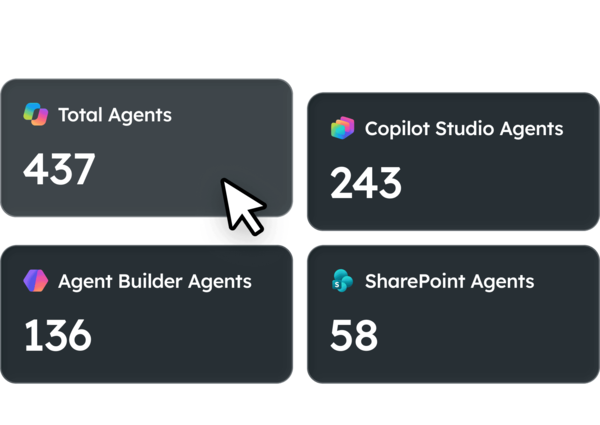

Where AI governance gaps show up
None of this looks like a permissions problem when it lands on your desk. It looks like a project that won't move, a budget line nobody will approve, and work you've already done once.

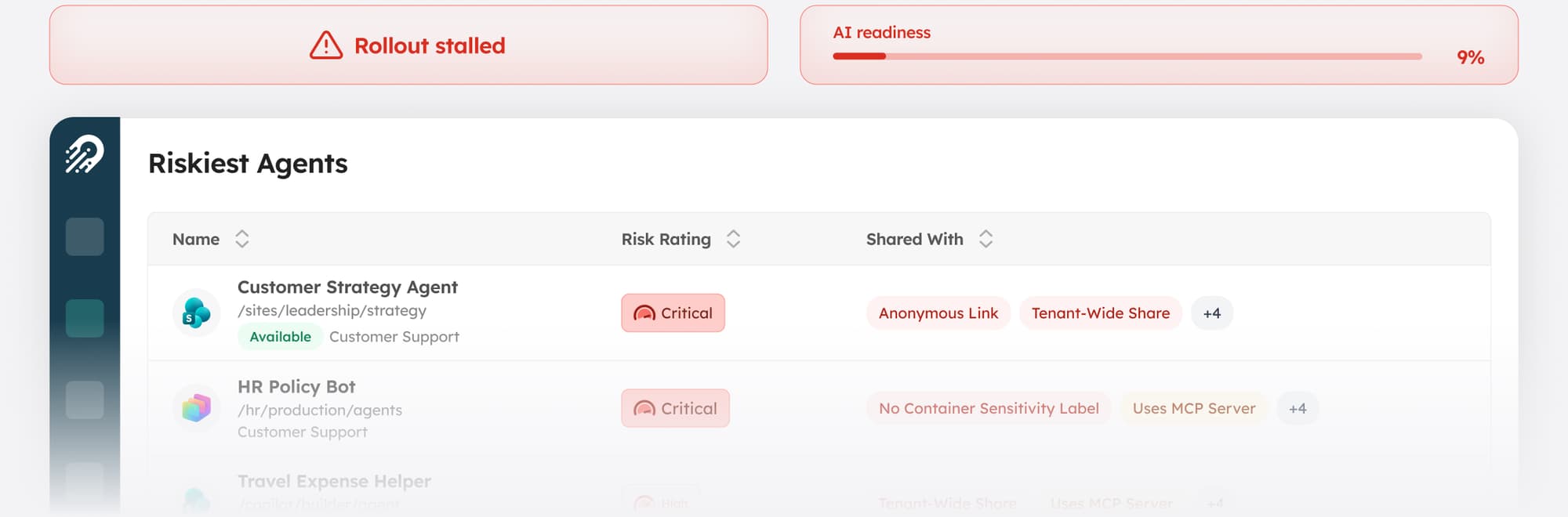
The rollout is stuck at pilot
Legal or security wants oversharing under control before Copilot goes wider, so enablement sits at a few dozen users while the cleanup runs. The date the business wants and the date the tenant is ready are not the same.

Agents appear before anyone approves them
People build them in minutes, and IT often finds out when a team asks to expand one that's already in production. There's no baseline to compare against and no list to review.

The licenses are already paid for
Seats get bought at scale on the assumption the tenant is ready. Labeling, permissions, and ownership then take months, and the spend starts before the value does.

The cleanup never finishes
Fix a hundred sites and the same conditions reappear next month, because nothing stops them being recreated. Effort scales with the size of the estate rather than with what AI actually touches.

Nobody can put a number on it
Governance work competes for budget against projects with a business case. Without a measure that moves, the work stays unfunded.

Govern what your AI can reach, in the order that unblocks you
A messy tenant shouldn't decide how fast your people get AI. Orchestry moves it forward in order and keeps it from sliding back.

Find out what AI would surface, before it does
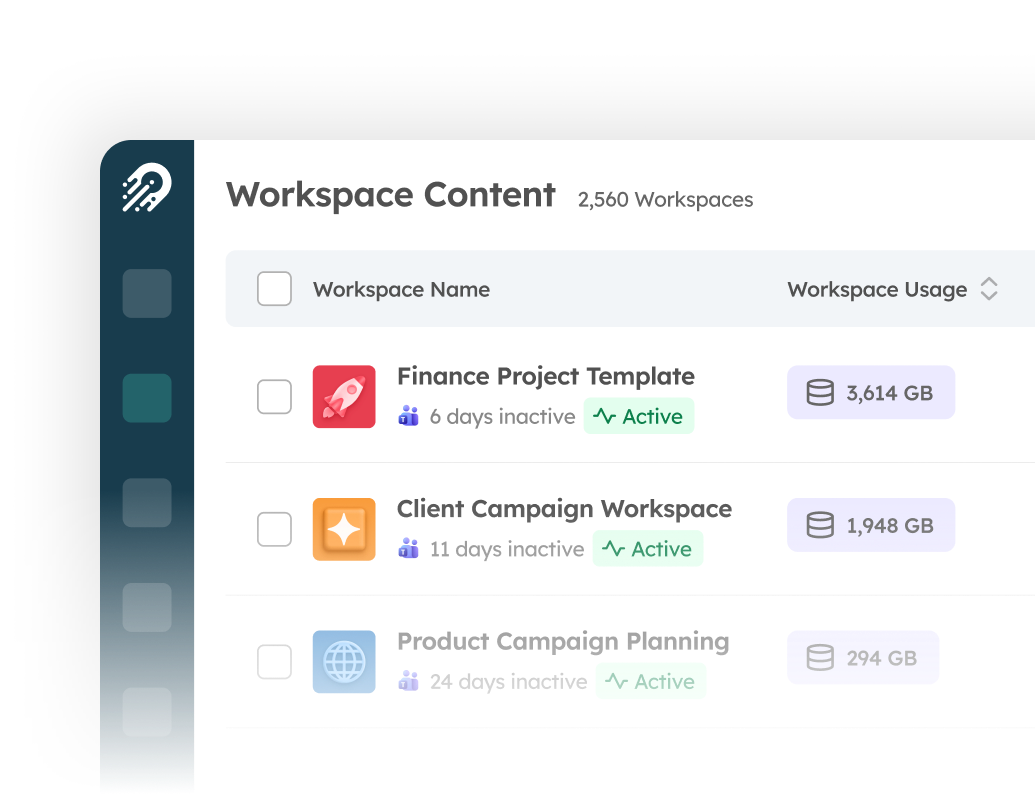
See what content exists, who owns it, and who can reach it across the whole tenant instead of one site at a time. It’s what turns "we think we're fine" into a list you can work through.

Get the agent roster
Every agent in the tenant in one place, scored so you know which ones matter, before someone asks to expand one that's already in production.

Clear the blockers at item level
Overshared sites, files, and sharing links get resolved in place, in bulk, without manual triage or site-by-site PowerShell.

Stop the same conditions rebuilding
New workspaces arrive with the right structure, owners, and permissions, and owners certify or archive on a recurring cycle. The cleanup you finished in month one doesn't come back in month three.

Show the number moving
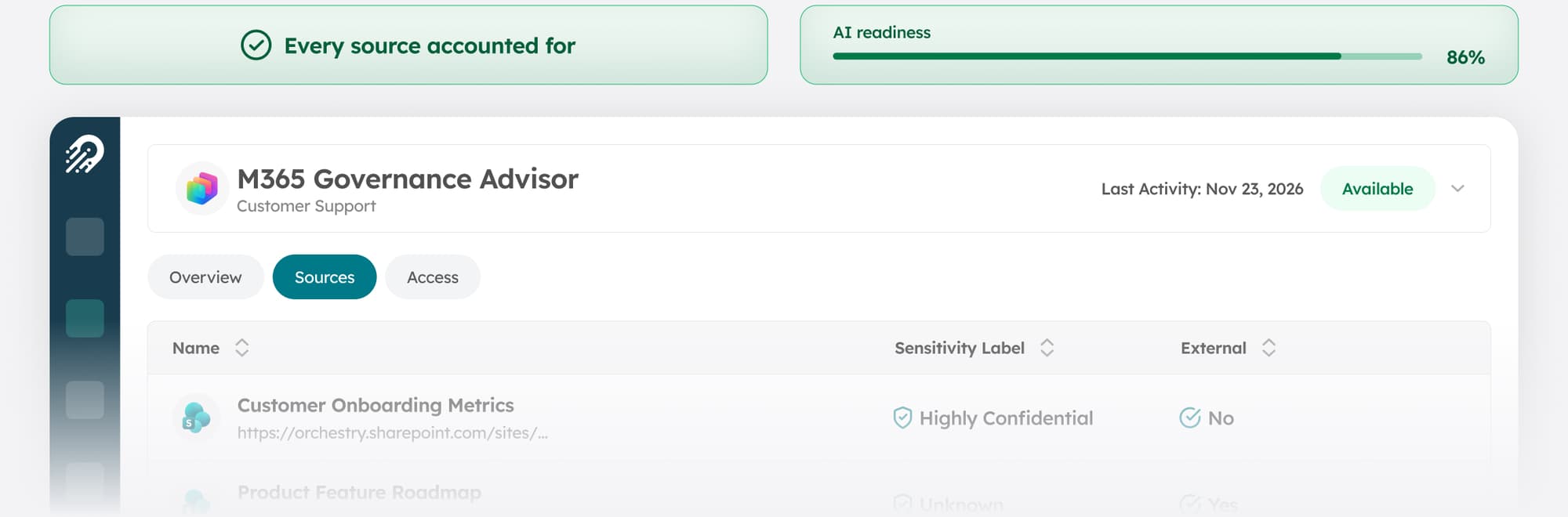
A tenant-wide readiness score that climbs as sites get remediated, owners get assigned, and more of your people get enabled. It gives the budget conversation something to point at, and the next one something to compare against.
Microsoft's tooling tells you which agents exist and where sharing is open.
See how Orchestry works alongside Agent 365.

.png?width=242&height=56&name=Orchestry_Full_Logo_White_Text_Light%20(1).png)
One governance layer under every AI in Microsoft 365
AI isn't slowing down. Microsoft keeps adding surfaces, your people keep connecting their own, and every one of them answers from whatever it can reach. The question underneath doesn't change as that list grows: what can it reach, who owns it, and is that still right this month.
Orchestry governs the content and permissions all of it reads, and the agents built on top, so the work you do today still holds when the next AI experience arrives.