/HubSpot%20-%20eBook%20-%20Proof%20Card%20Mockup%20001.jpg?length=1000&name=HubSpot%20-%20eBook%20-%20Proof%20Card%20Mockup%20001.jpg)
/HubSpot%20-%20eBook%20-%20Proof%20Card%20Mockup%20001.jpg?length=1000&name=HubSpot%20-%20eBook%20-%20Proof%20Card%20Mockup%20001.jpg)
/HubSpot%20-%20eBook%20-%20Proof%20Card%20Mockup%20001.jpg?length=1000&name=HubSpot%20-%20eBook%20-%20Proof%20Card%20Mockup%20001.jpg)
/HubSpot%20-%20eBook%20-%20Proof%20Card%20Mockup%20001.jpg?length=1000&name=HubSpot%20-%20eBook%20-%20Proof%20Card%20Mockup%20001.jpg)
/HubSpot%20-%20eBook%20-%20Proof%20Card%20Mockup%20001.jpg?length=1000&name=HubSpot%20-%20eBook%20-%20Proof%20Card%20Mockup%20001.jpg)
/HubSpot%20-%20eBook%20-%20Proof%20Card%20Mockup%20001.jpg?length=1000&name=HubSpot%20-%20eBook%20-%20Proof%20Card%20Mockup%20001.jpg)
/HubSpot%20-%20eBook%20-%20Proof%20Card%20Mockup%20001.jpg?length=1000&name=HubSpot%20-%20eBook%20-%20Proof%20Card%20Mockup%20001.jpg)

/HubSpot%20-%20eBook%20-%20Proof%20Card%20Mockup%20001-min.jpg?length=1000&name=HubSpot%20-%20eBook%20-%20Proof%20Card%20Mockup%20001-min.jpg)


Organizations are deep into acceptance of remote work being the new norm. In the past year, Microsoft Teams has been a sought-after platform for virtual collaboration. However, the added pressure of continuing to support a remote work environment can be overwhelming.
Businesses dove into Microsoft Teams without much thought into what the platform would look like in the long run. How are they expected to cope with common Microsoft Teams challenges, long after the deployment and mixed adoption of the application?
Microsoft Teams Lifecycle Management
The need for Microsoft Teams lifecycle management becomes evident as users spend the majority of their workday in Microsoft Teams. The complexities of maintaining and managing teams in Microsoft Teams over time require strategic planning and methodical execution. In this blog, we are going to help you understand why Teams lifecycle management matters. We will also demonstrate how it helps overcome common challenges.
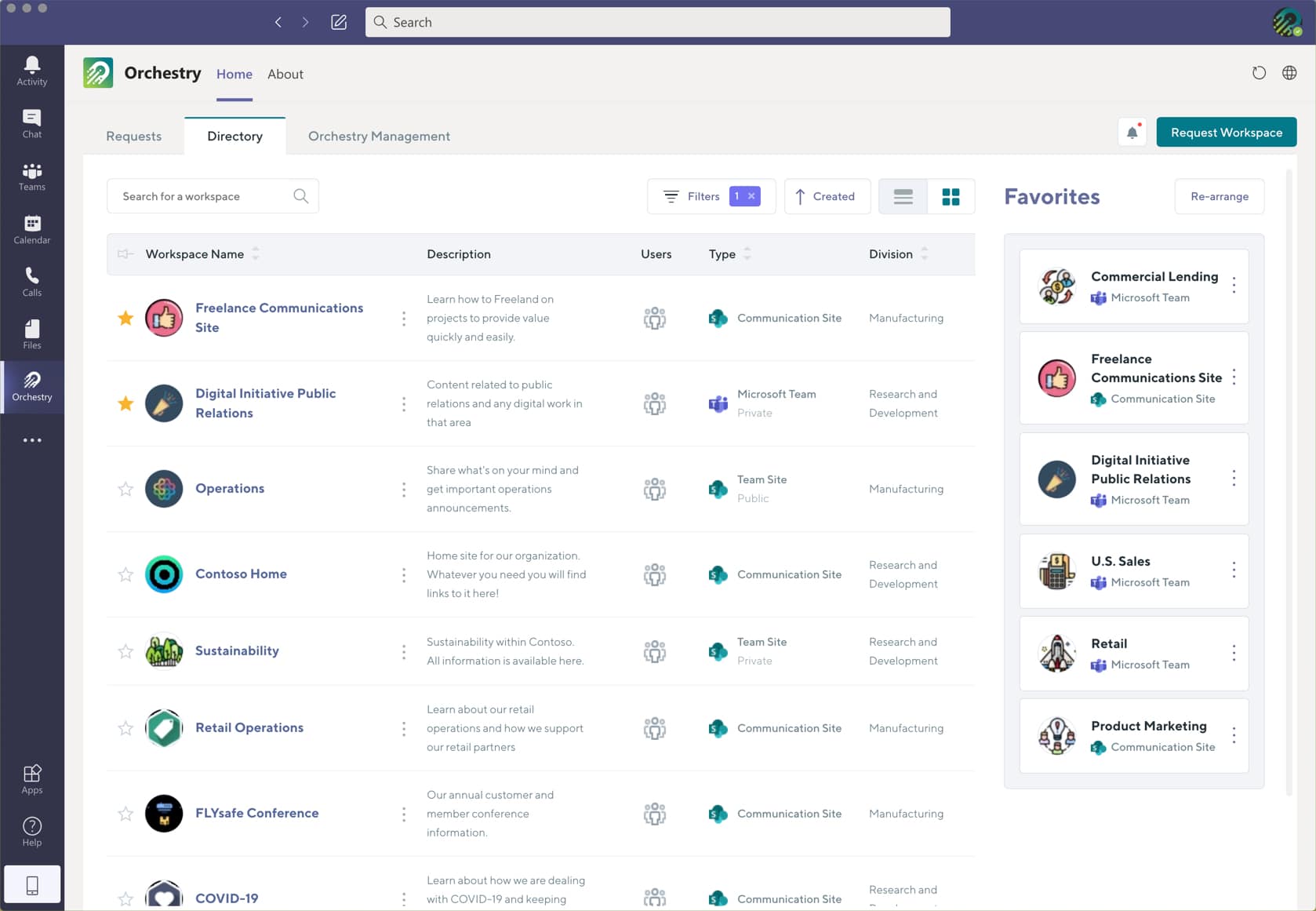
Why does Microsoft Teams Lifecycle Management matter?
The entire Microsoft 365 platform, including Microsoft Teams, is innately designed to make sharing and storing content quick and easy. This is no surprise since collaboration is the driving force behind the adoption and engagement of the platform. However, this powerful ability that promotes collaboration also makes Microsoft Teams susceptible to sprawl and other complexities if left unchecked.
With the rush to remote work, pre-deployment planning was not an option for many organizations. This meant leaving the MS Teams environment un-governed for significant periods of time.
But this is now catching up with IT administrators as the chaos has ensued. Members continue to spin up teams in Microsoft Teams without much thought. But there are long-term impacts of it that they are unable to see at the moment.
As each team ties into SharePoint Sites, Outlook Groups, Microsoft 365 groups, Microsoft 365 Security, and much more. The long-term impact is not as manageable as one may think. Therefore, lifecycle management becomes crucial for Microsoft 365 management.
Common Microsoft Teams Challenges to Avoid
In the long run, the common Microsoft Teams challenges are only aggravated, making collaboration in itself a burden for users. Without lifecycle management, businesses are very likely to face these challenges:
- Duplication. Without policies around who can create teams and how to find existing resources, duplication of teams is inevitable.
- Inconsistent Naming. The purpose of a team in MS Teams is completely lost if a naming convention is not clearly defined and enforced.
- Findability Challenges. With ineffective naming and a lack of awareness among users issues with not being able to find Teams will arise.
- What to Use When. The most common of all dilemmas, end users will rarely know the right Microsoft tool to pick. This is due to overlapping capabilities unless otherwise defined by the organization.
- Unmanageable Sprawl. A common consequence of duplication, inconsistent naming, and findability is sprawl which only gets worse if left unchecked.
- Access Issues. Without a periodic review of member access, access issues become a point of frustration for users.
- Uncontrolled Content Growth. The ungoverned growth of MS Teams makes content growth inevitable. The lack of proper governance can lead to inactivity, abandonment, and/or duplication of teams in MS Teams.
All of these complications put together become burdensome for both end users and administrators. They adversely impact the productivity of the platform and the organization as a whole. The only solution is to give MS Teams cleanup and Microsoft Teams archiving fair consideration.
How does Microsoft Teams Lifecycle Management help?
Lifecycle Management is an information management strategy that resolves these challenges. It consists of planning for every stage of a Microsoft Teams team.
From creation to active usage to sunsetting and Microsoft Teams archiving, help you avert the common challenges before they arise. What does this look like in a real-life business scenario using Microsoft Teams? Something like this…
Use Case: Short-Term Cross-Domain Project
Let’s assume your organization is taking on a project that requires inter-departmental collaboration. This project will run for a short span of time and both departments already collaborate through their dedicated MS Teams team. The first step you would take is to create a new MS Teams team with members from both departments. Since this project is temporary, you need to have a Teams lifecycle management strategy all the way through the sunsetting stage.
Stage One: CREATION, key considerations for creating:
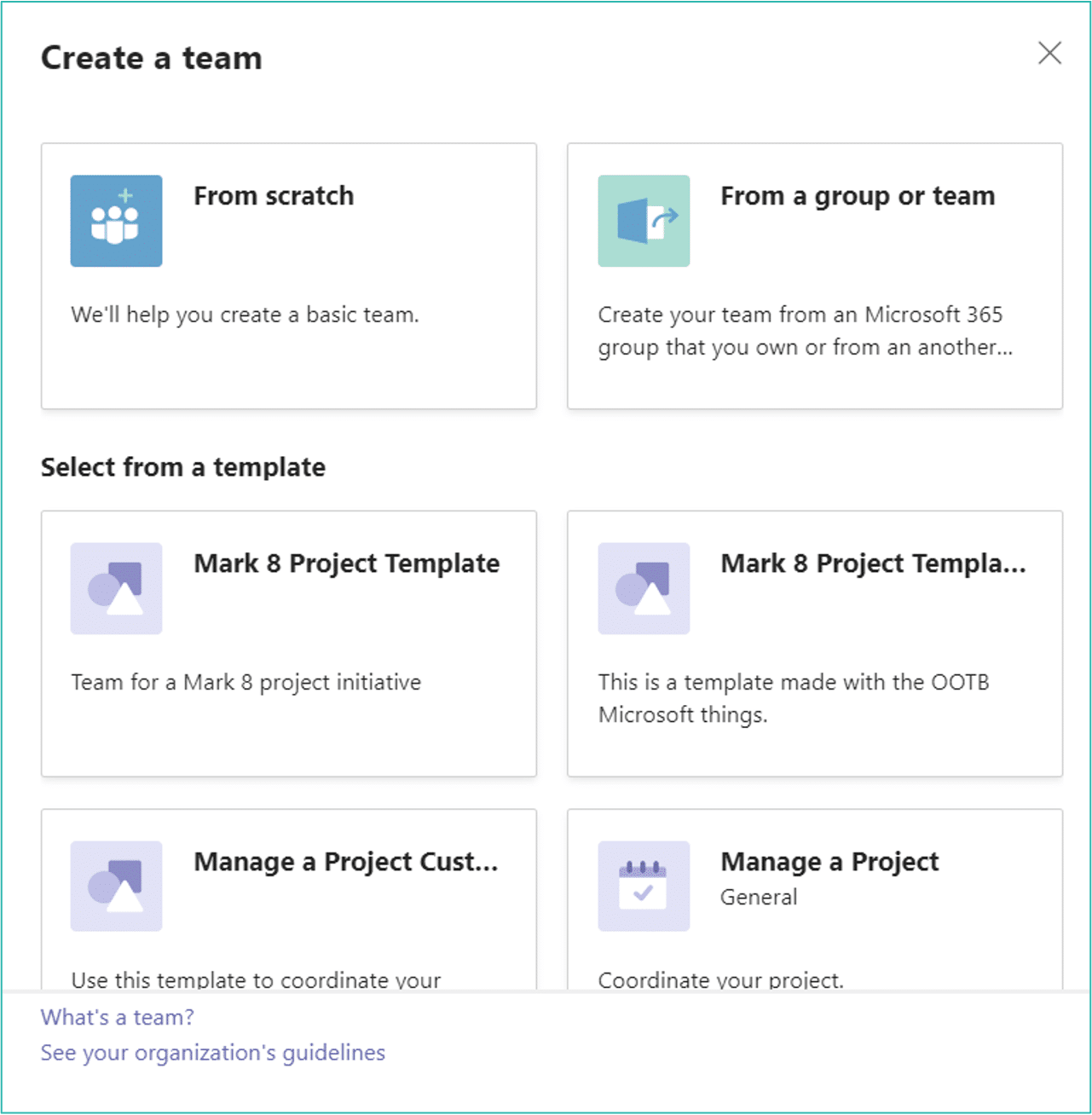
- How can you avoid duplication of a team in MS Teams? You can manage creation in Microsoft Teams by limiting creation rights to a subset of users. It is important to establish who can create this team to avoid duplication by other members.
- Who should be included in this Team as owners, members, and guests? Deciding on owners and members in advance will clearly define the responsible actors of the team. This will help avoid team abandonment or orphaning. A best practice here would be to have more than one owner, at a minimum two.
- How to avoid ‘what to use when’ confusion in MS Teams? You need a standard template or structure to guide users into the correct tools to use within your organization. Templating will help you define the purpose of each channel. It will help identify tabs, and third-party app integrations, and will eliminate confusion with a consistent structure throughout.
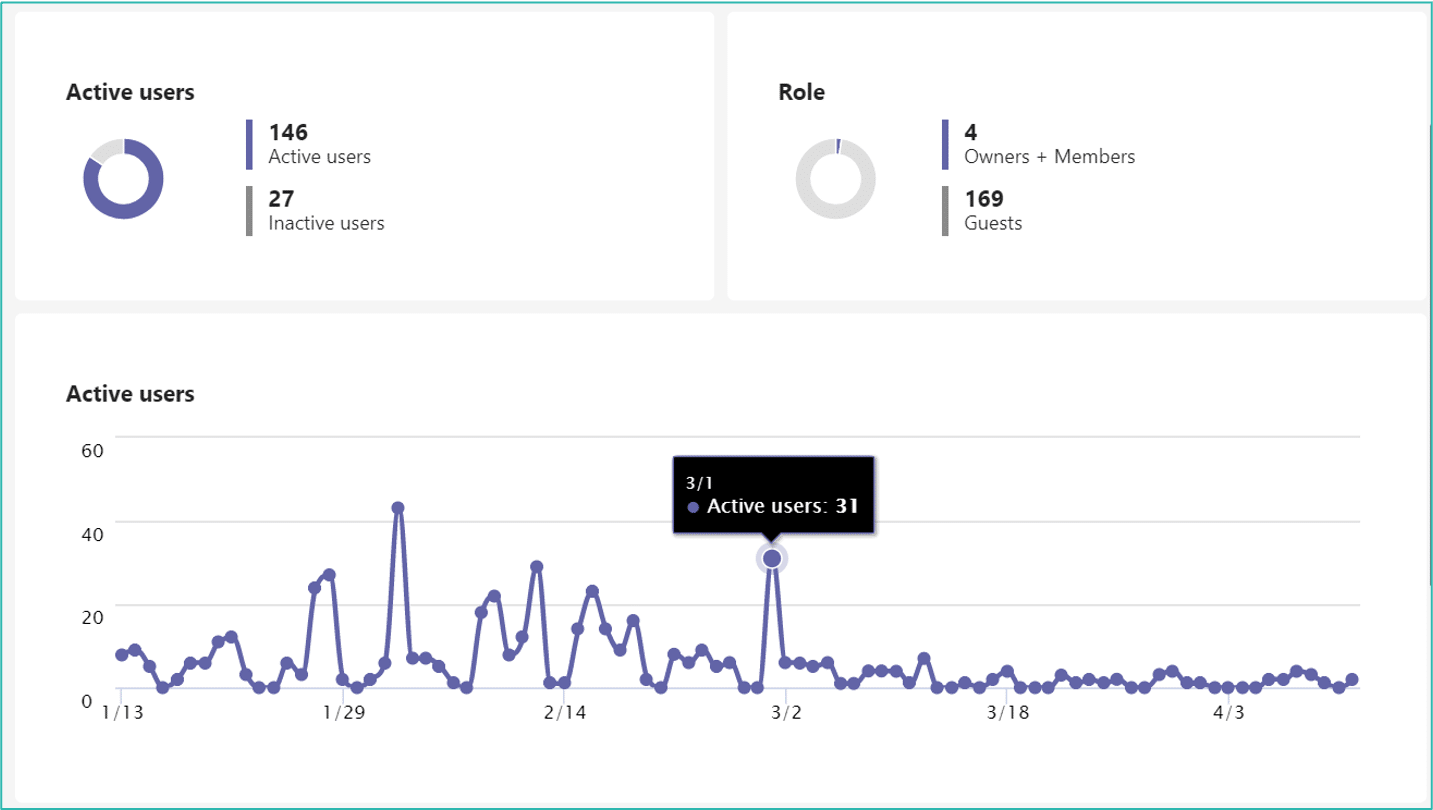
Stage Two: ACTIVE USAGE, other key considerations for access:
- Who should have access to review MS Teams team membership/roles? Circumvent the issues of stale access management by periodically reviewing the access of members as well as Guest access. Make note of the fact that for access review the license required is Azure AD Premium P2. It can get expensive unless you keep your membership limited.
- How will members be invited and/or removed on a consistent basis? This is also vital in case you need to invite some external members and remove employees that have left the company.
- Who will monitor the usage of created teams and Team activity to keep the wasteland of unused digital workspaces in check? Monitoring is key to knowing more about the usage patterns and if team owners are still active. Make use of reporting facilities like Microsoft 365 Admin Center and MS Teams Admin Center for built-in, out-of-the-box reports on user activity.
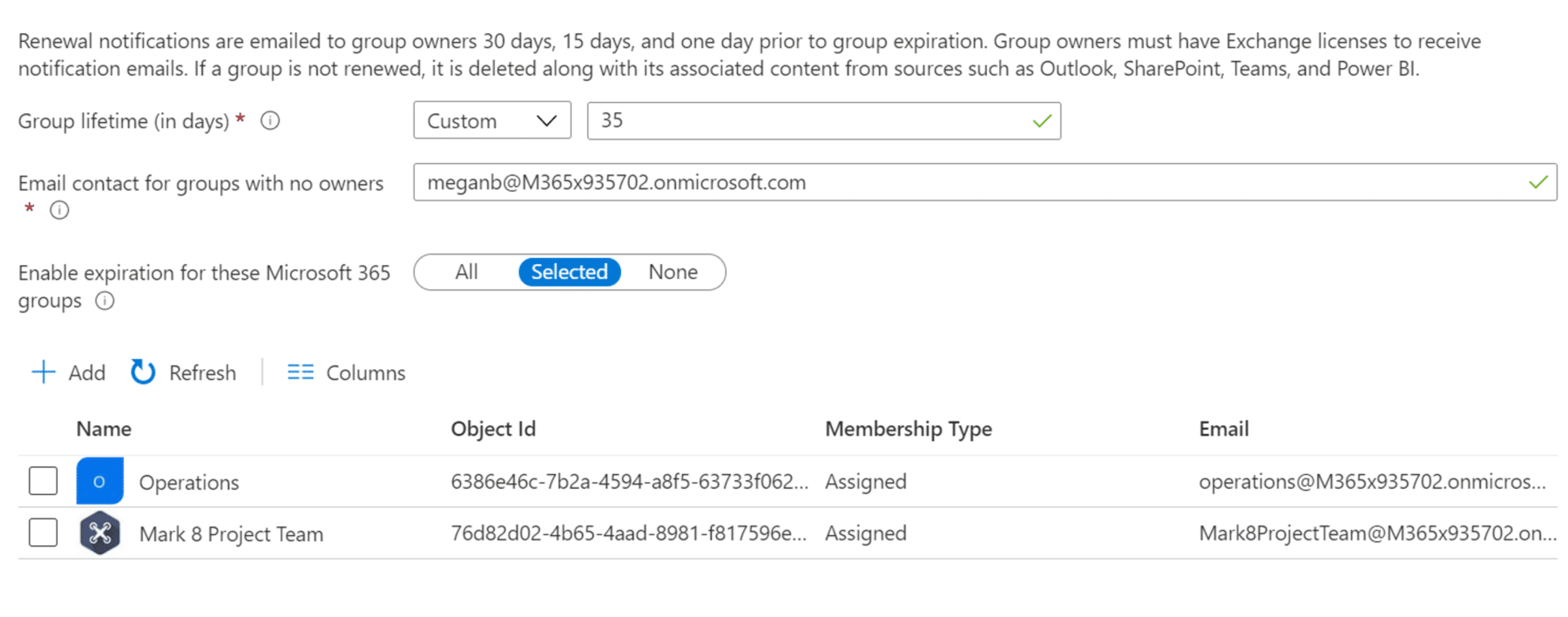
Stage Three: SUNSETTING, key considerations for Microsoft Teams archiving:
- How can you keep this from adding to the sprawl? You can set an expiration policy. If the group is not active and renewed by the owner, then the group and associated content can be deleted. Keep in mind that this is also an Azure AD capability with a P1 license. If chosen it will impact anything associated with that group.
- How to archive Microsoft Teams without contributing to unmanageable content growth? Make use of retention policies at granular levels like folders and documents. At a higher level use SharePoint sites and OneDrive accounts to ensure associated content is not lost at the time of deletion. At the end of the retention period, the content can either be deleted or go through a disposition review process.
Do you see how at each stage you can ensure optimal usage of Microsoft Teams with lifecycle planning and management? If you do not follow these practices you could be presenting yourself with all of the issues and challenges mentioned earlier.
So far the strategies identified only focus on a few aspects of what needs to be considered. The use case we presented is a common occurrence within many organizations. We hope it gives you clarity on why weaving Lifecycle Management as part of your MS Teams deployment is so crucial.
For more insight on how to implement Microsoft Teams lifecycle management and better control your environment, watch our on-demand webinar.
Simplified Microsoft Teams Management with Orchestry
If you are still struggling to wrap your head around Teams lifecycle management, Orchestry is the tool for you. Powerful capabilities like Pre-Built Workspace Templating, Self-Service Workspace Provisioning, Microsoft Teams Governance, and Comprehensive Workspace Directory, empower users to utilize Microsoft Teams to its full potential. Not only that, Orchestry has launched its Lifecycle Management and Actionable Insights capabilities to further empower organizations leveraging Microsoft 365.
You can now untangle the complexities of Microsoft 365’s out-of-the-box lifecycle management features and move over to the flexibility and simplicity that Orchestry offers.
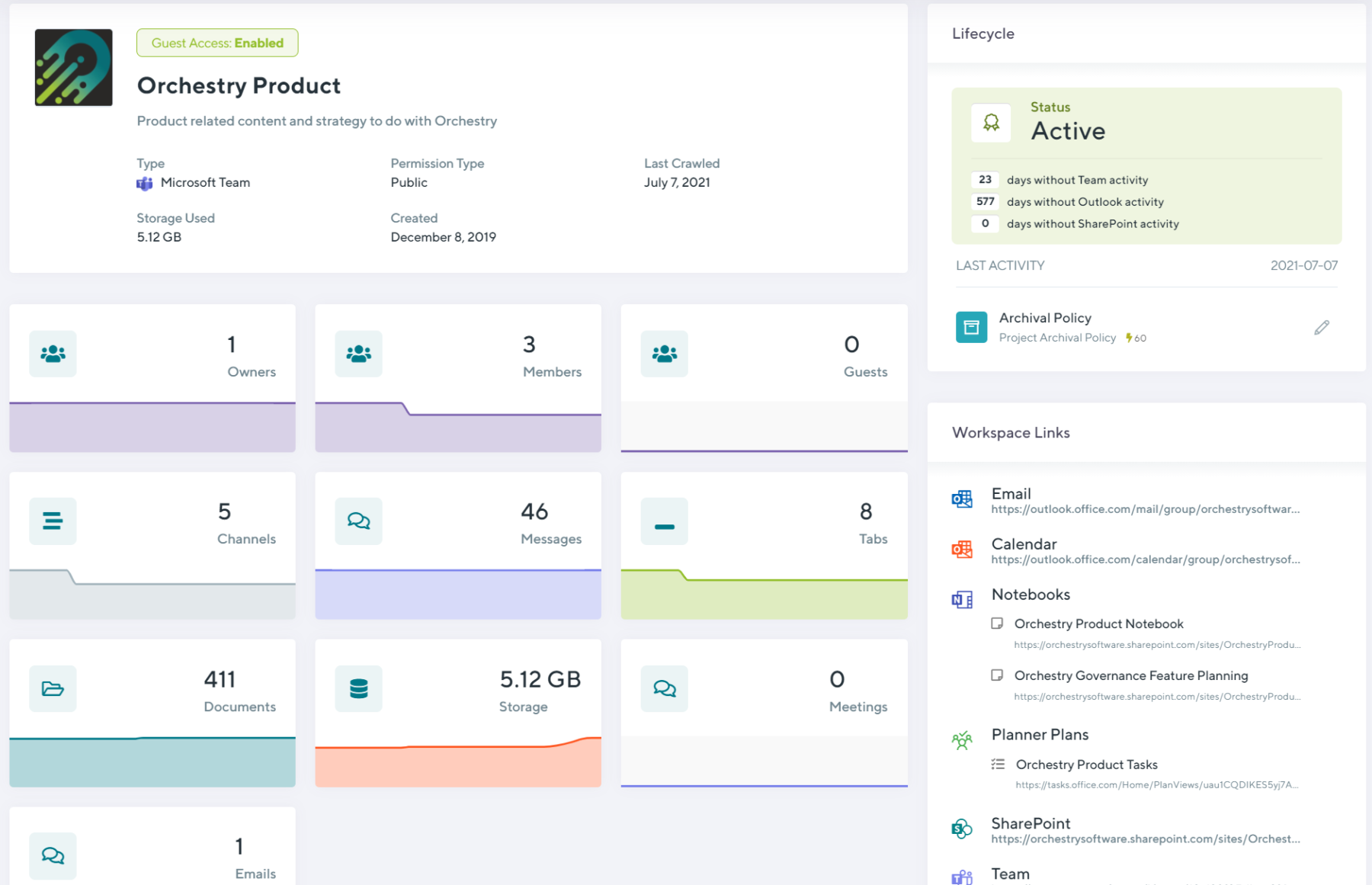
With each capability targeting the different stages of Microsoft Teams lifecycle management, you can be assured that Orchestry will enable a standardized, sprawl-free, and managed collaboration environment.